Human Geometry Model Reconstruction
Background
Recently I have been working on 3D human reconstruction. This article tries to systematically introduce the process of extracting a parametric human body model and texture maps from 2D images or videos using neural networks.
[0] Learning and Using the SMPL Model
Background
Recently I have been working on 3D human reconstruction. SMPL is a foundation for this direction, so I decided to study it.
What Is SMPL?
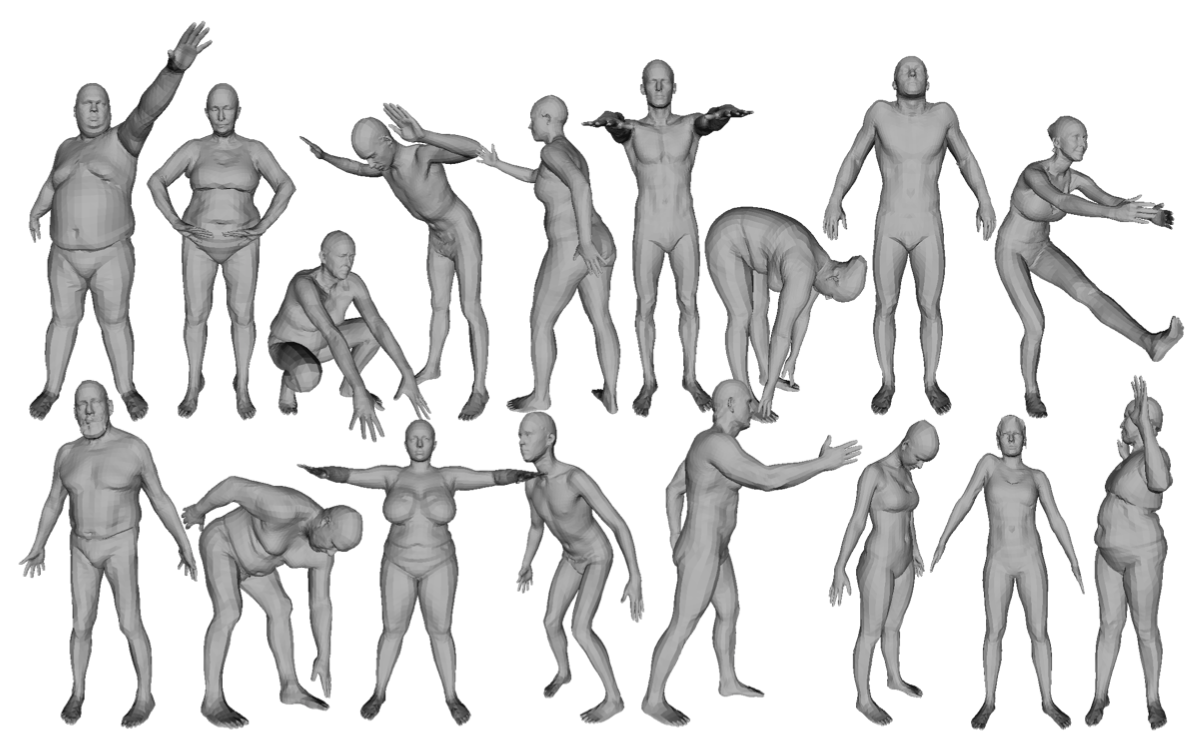
In the field of human motion capture, the SMPL algorithm is one of the most common methods. It is a parametric 3D human motion-capture model proposed by the Max Planck Institute in Germany. It has the advantages of generality, easy rendering, and compatibility with existing commercial software such as UE4 and Unity.
Principle
SMPL is a framework that can generate a human body model and pose model from several groups of parameters.
Running It
- Download the SMPL model from the official website: https://smpl.is.tue.mpg.de/download.php
- Note that Linux or macOS is needed to run it. I installed Ubuntu through WSL2.
- Resolve environment dependencies. I installed missing libraries using
aptandpip, referring to SMPL source-code installation: successfully installed and implemented. - Note that
smplneeds to be added to Python’s path. After adding it, I had to changeimport smpl_webuser.serializationtoimport smpl.smpl_webuser.serializationbefore it could run.
Result Screenshot
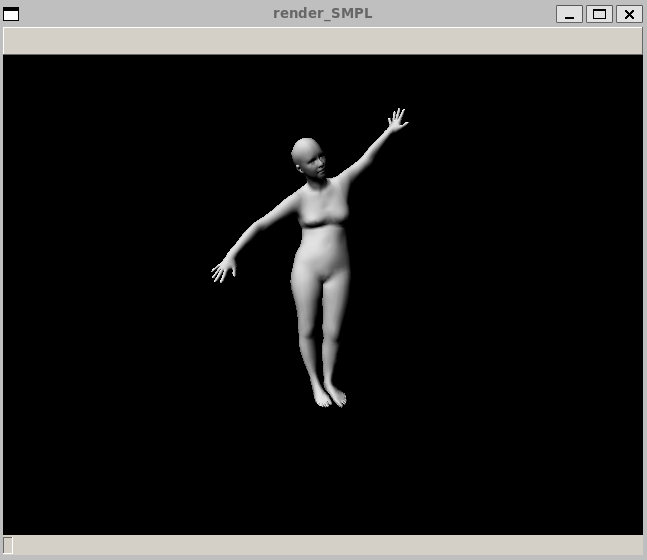
Running python render_smpl.py generates a human model with random size and pose:
References
3D human motion capture model SMPL: A Skinned Multi-Person Linear Model
SMPL source-code installation: successfully installed and implemented
(Week 1) Lessons learned: pitfalls when running SMPL sample models
[1] HMR: Learning and Using End-to-End Recovery of Human Shape and Pose
Background
Recently I have been working on 3D human reconstruction. HMR is an excellent work that directly estimates 3D human shape and pose from a single RGB image, so I studied and used it here.
https://github.com/akanazawa/hmr
Process
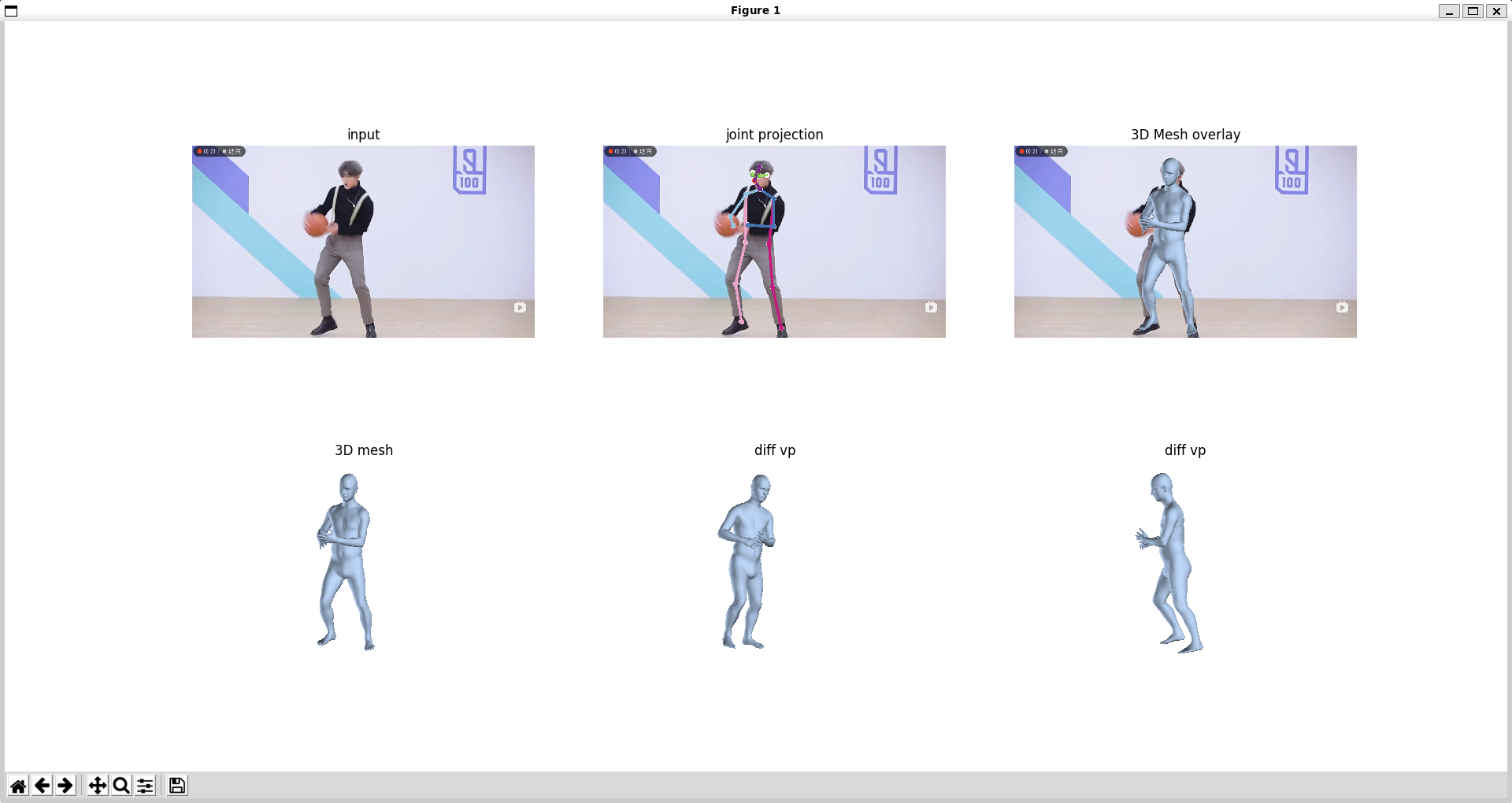
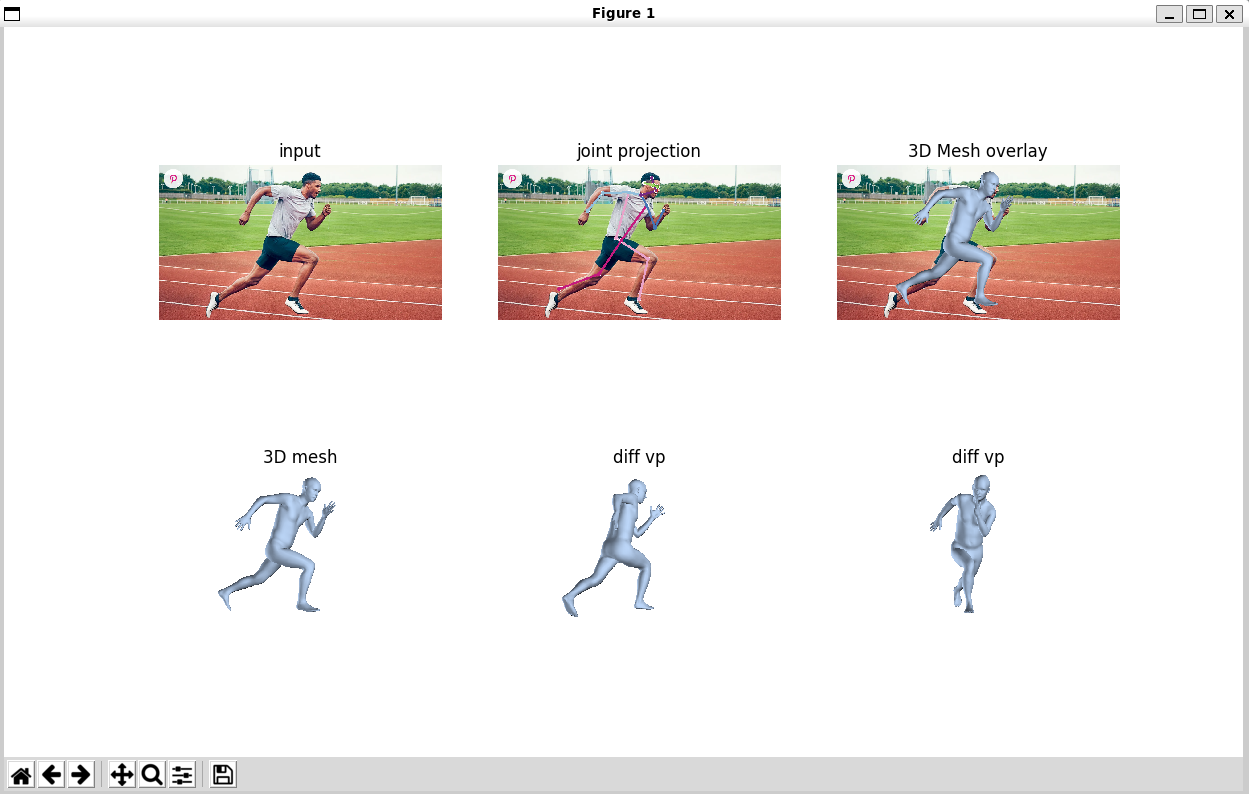
It first uses 2D keypoint detection, similar to what I used in OpenPose Research Notes, to obtain a 2D skeleton pose prediction.
Then it projects the 2D skeleton onto a 3D SMPL model, fits the SMPL parameters, and finally uses the SMPL model to generate the human shape and pose.
Running Results
The prediction results are shown below:
References
[2] Learning and Using TailorNet
Background
Recently I have been working on 3D human reconstruction. TailorNet is a clothing reconstruction network and is worth studying.
TAILORNET: Predicting Clothing in 3D as a Function of Human Pose, Shape and Garment Style
GitHub: https://github.com/chaitanya100100/TailorNet
Principle
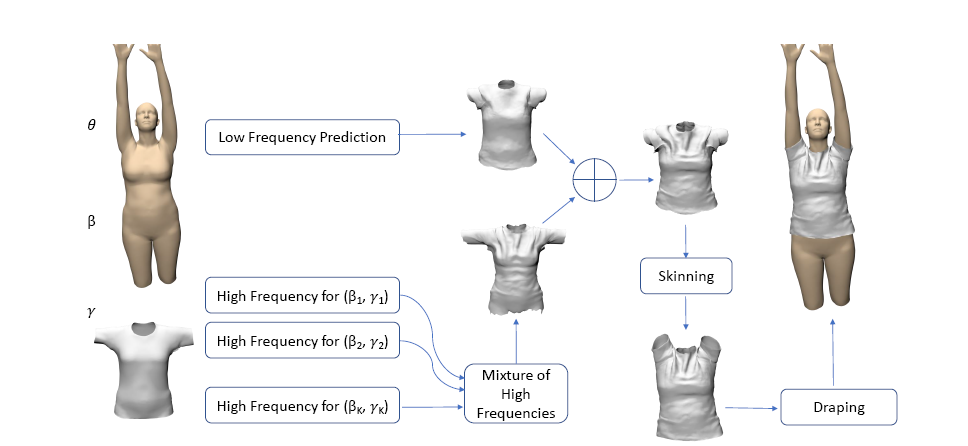
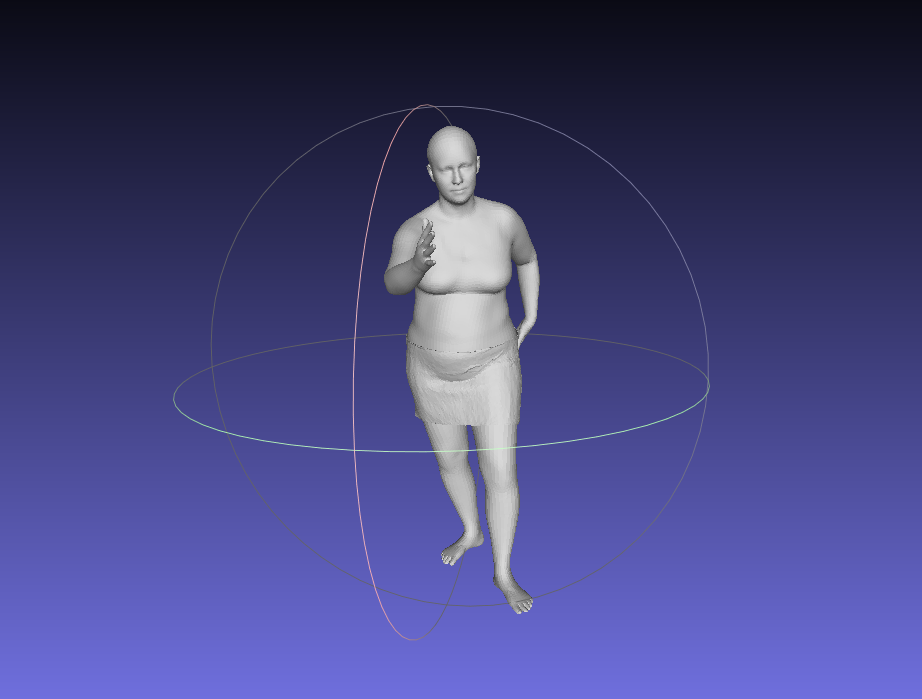
This network can input arbitrary SMPL model parameters and a garment type, then output clothing geometry fitted to the human body model.
Process
- Download the project’s Python code.
- Download network data for various clothing types. https://nextcloud.mpi-klsb.mpg.de/index.php/s/LTWJPcRt7gsgoss is hosted in Germany, so downloading can be slow. When I clicked “download all”, the speed was extremely slow. Later I downloaded each file separately and reached about 1 MB/s per file, which was acceptable.
- Create a virtual environment and configure it.
- Run
python run_tailornet.pydirectly.
Result Screenshot
Reference
https://github.com/zycliao/TailorNet_dataset
[3] Learning and Using Part Grouping Network
Background
Part Grouping Network can be used for semantic segmentation of images. Image segmentation is a common problem in computer vision.
Process
This code requires MATLAB.
MATLAB is a GUI program. My environment was WSL2 Ubuntu 22.04, so extra GUI configuration was needed.
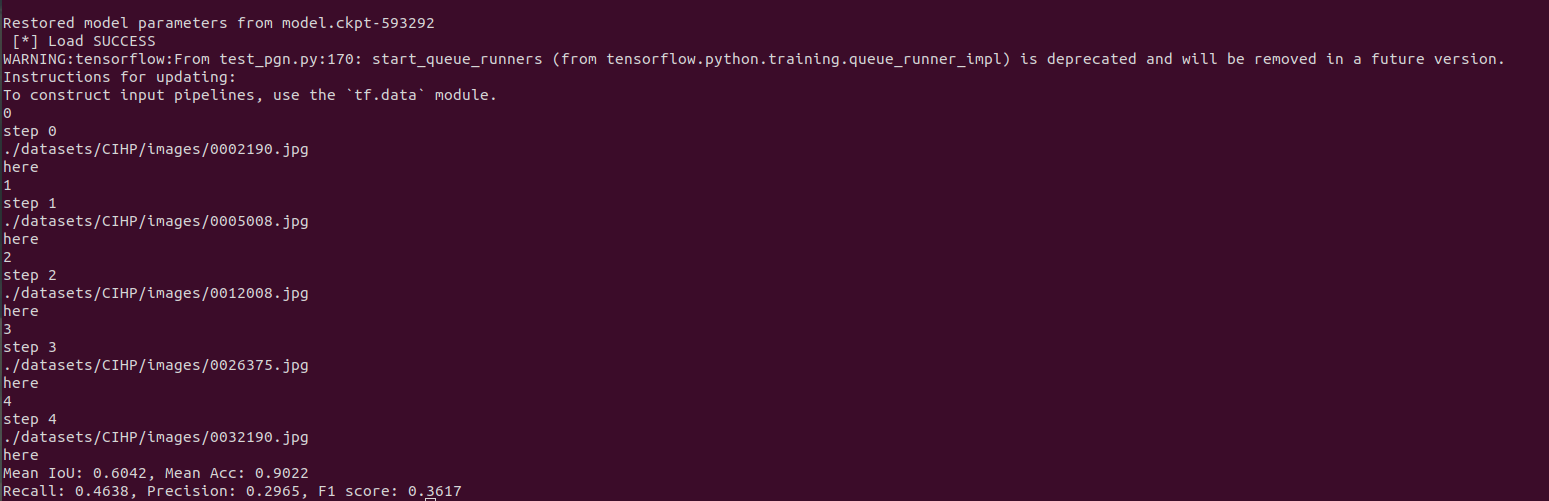
For now, I used a physical Ubuntu 20.04 system and ran it successfully. The final setup combined the project’s own instructions, the configuration method from reference [2], and information from the project’s issues.
Results
Sample 1

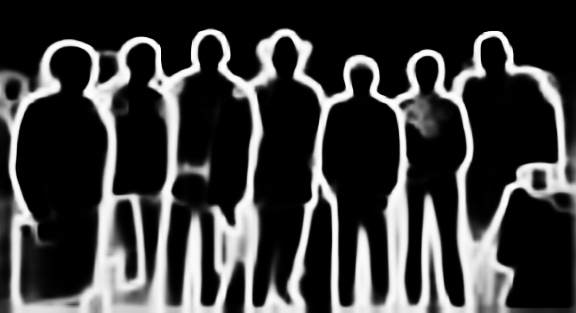
The segmentation result:


Sample 2

The segmentation result:

References
- Part Grouping Network (PGN)
- Detailed steps for installing Ubuntu on WSL and setting up a GNOME GUI, Win11 + Ubuntu 18
- Reproducing the paper Instance-level Human Parsing via Part Grouping Network
- MATLAB R2020a for Linux installation tutorial
- WSL2 Ubuntu GUI installation and remote desktop
- Enabling Microsoft’s official systemd support on WSL2
- Connecting to local Ubuntu WSL terminal and GUI on Windows through SSH and VNC Viewer
[4] SMPLicit: Topology-aware Generative Model for Clothed People
Overview
This paper proposes an implicit-function-based method for reconstructing clothed humans. It can reproduce models including clothing, pants, shoes, and hair.
Paper Analysis
https://zhuanlan.zhihu.com/p/362132005
https://zhuanlan.zhihu.com/p/102904841
Running the Code
Since this is deep learning, CUDA and cuDNN need to be installed.
First install CUDA:
https://blog.csdn.net/a563562675/article/details/119458550
Install Kaolin:
https://blog.csdn.net/qq_41071191/article/details/121365362
[A] Python Study
Background
Recently I have been running code for 3D human reconstruction papers, and many of them are written in Python.
Content
Here are some common commands.
Anaconda
Create a virtual environment:
conda create -n your_env_name python=x.x
Switch to the virtual environment:
source activate your_env_name
or:
conda activate your_env_name
pip
Switch to domestic mirrors:
pip config set global.index-url https://pypi.tuna.tsinghua.edu.cn/simple
pip config set global.index-url https://mirrors.aliyun.com/pypi/simple/
pip config set global.index-url http://pypi.douban.com/simple/