OpenPose Research Notes
Background
Our lab works a lot on human reconstruction. OpenPose is a very strong project in human pose estimation, and studying it helps with entering the human reconstruction field.
It is also an open-source project with about 25k GitHub stars and roughly 120k lines of code. From a software-development perspective, its architecture is also worth studying. So I decided to research it.
The image below shows one OpenPose result.
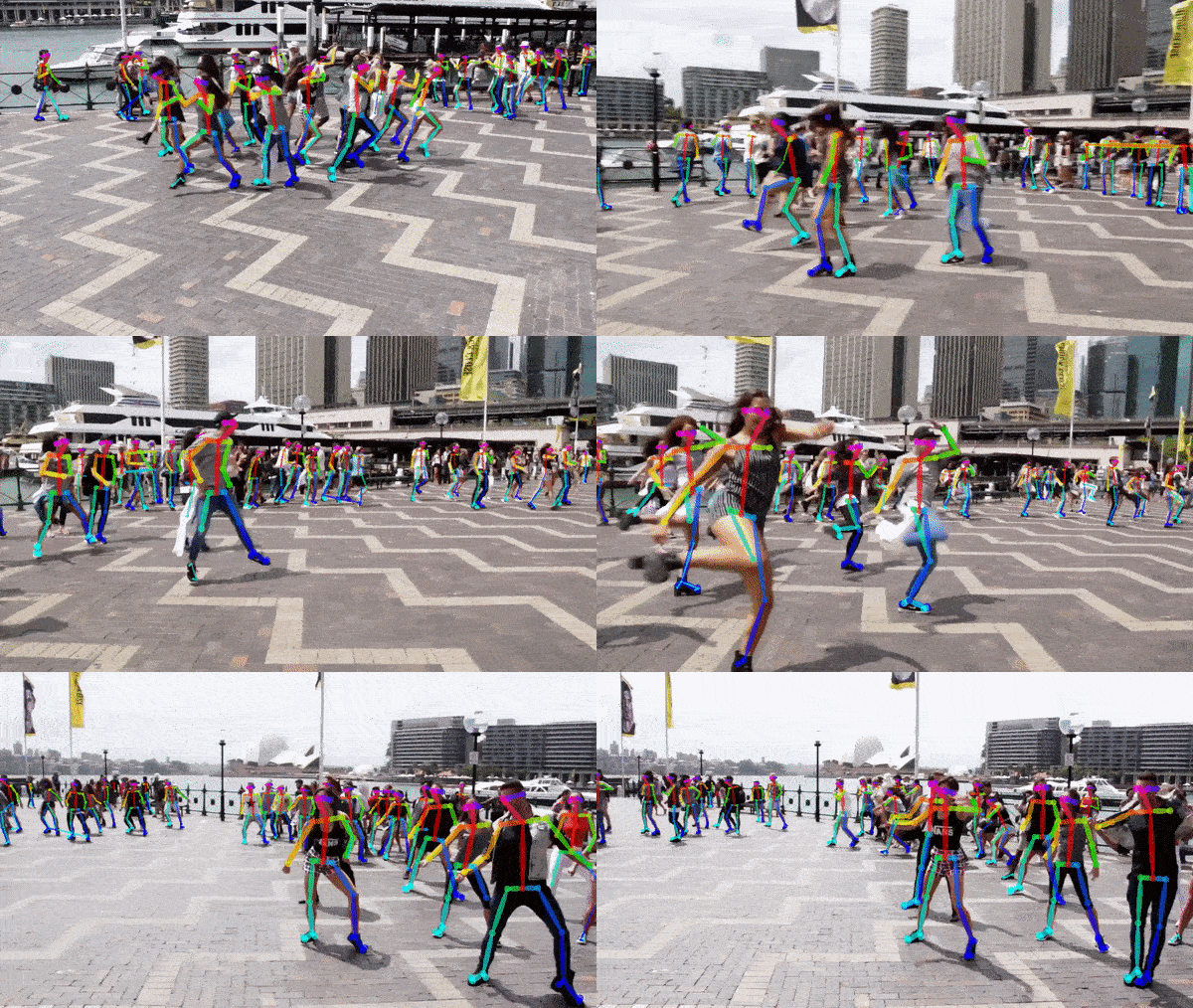
You can see that each person is drawn with reasonable torso and joint positions, and the algorithm can run in real time. The result is quite good.
0. PPT
Based on online materials and my own understanding, I organized an OpenPose-principles PPT:
PPT about OpenPose software design:
Research Plan
The research mainly means understanding the papers and running the code. It consists of:
- Reading and analyzing the papers.
- Downloading and compiling the source code.
- Running some demos provided by the project.
- Reading and analyzing OpenPose’s code architecture.
1. Paper Reading and Analysis
The OpenPose line of work consists of several papers.
First is Realtime Multi-Person 2D Pose Estimation using Part Affinity Fields, where they proposed the PAFs algorithm.
Then came OpenPose: Realtime Multi-Person 2D Pose Estimation using Part Affinity Fields. In this work, they improved the whole system, increased speed and accuracy, integrated body, foot, hand, and face keypoints, and finally completed the OpenPose open-source library.
Abstract
The abstract mainly explains that OpenPose uses their proposed PAFs, Part Affinity Fields, algorithm. Compared with traditional bottom-up systems, it has better performance. In bottom-up systems, cost increases linearly with the number of people in the scene, while OpenPose keeps the same computational cost. OpenPose is also the first open-source real-time framework integrating body, foot, hand, and face keypoints.
1.1 Introduction
1.2 Method
1.2.1
Understanding the Part Affinity Fields paper
How to evaluate CMU’s OpenPose project?
VGG network: Understanding VGG in one article
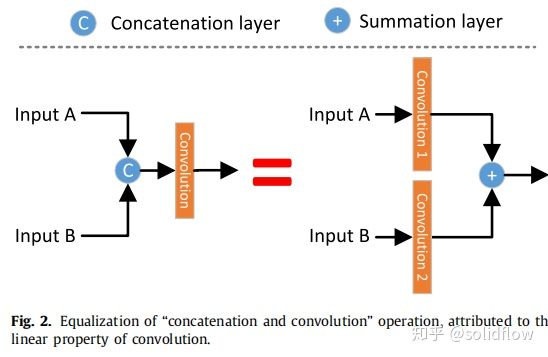
The difference between concat and add in deep learning:
2. Downloading and Compiling Source Code
Although OpenPose also provides precompiled binaries, I compiled it from source in order to study its structure.
The documentation section for compilation:
Compiling and Running OpenPose from Source
Compiling this project requires CUDA. Download it from the official website:
2.1 Compiling Source Code on Windows
Compiling from source on Windows is relatively simple. You only need Git or GitHub Desktop, CMake GUI, and CUDA.
On my Windows 11 x64 machine, compilation completed smoothly.
3. Running Demos
The project provides many demos. I tested most of them, and they could run directly. The experience was very good.
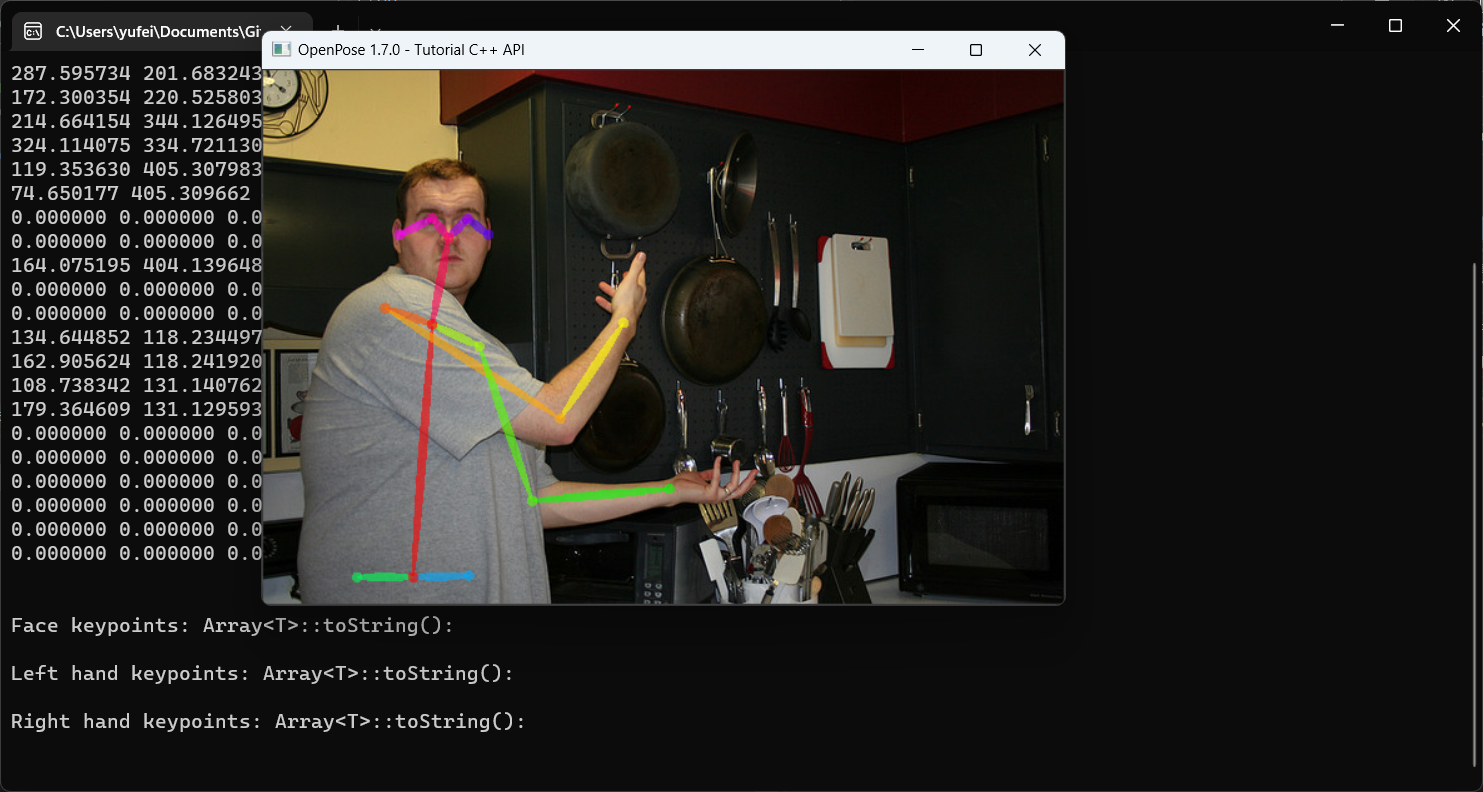
Find its dataset and run it myself once
4. Reading and Analyzing OpenPose Code Architecture
OpenPose source-code reading summary
According to the information in its GitHub repository, OpenPose is mainly written in C++ and uses GPU parallel computing. It implements two works from their lab:
OpenPose_Realtime_Multi-Person_2D_Pose
and
Hand Keypoint Detection in Single Images using Multiview Bootstrapping
Its documentation is at /doc/index.html.
The overall code structure is introduced in md_doc_very_advanced_library_structure_1_library_deep_overview.html.
This document introduces OpenPose’s core data structures: Array and Datum.
Most structures are written as templates, making them generic enough to be used in different places. Array is the data-storage structure of OpenPose. Datum is the data structure returned and passed into later threads. Threads communicate through this structure.
It then introduces OpenPose thread management.
It explains thread creation, running, and management. Since it is also implemented with templates, custom functions can be conveniently attached into this process management.
Finally, it introduces the core system: the multi-person keypoint detection module.
It introduces the Caffe-based pose extractor and how to initialize it. Then it explains how to detect poses in a crowd, including input values and return values. Finally, it introduces rendering the results back to the image using the PoseRenderer module. The documentation differs from the actual current program, and some API parameters do not match.
The overall UML diagram is in UML.pdf.