mini3DRender
Background
In Deriving Graphics Coordinate Transforms on Scratch Paper, I derived the full coordinate-transformation process. To verify and firmly understand those transforms, this article implements a basic renderer that only uses the CPU for computation.
Main Features
- Display OBJ files
- Draw points, lines, and triangles
- Draw textures
Implementation Details
[1] Bresenham Line Drawing Algorithm
This section introduces the famous Bresenham line drawing algorithm.
Modern screens consist of discrete pixels, so a line drawn by a computer can only be composed of discrete points. Bresenham’s algorithm can draw any line on the screen. It only needs integer division and does not require floating-point operations, so it has very high performance.
Below is the Bresenham process as I understand it, followed by my C++ implementation. To make the explanation easier, I only use lines with slopes between 0 and 1 as the example.
As shown below, discretizing a line means determining the next point ( (x_{i+1}, y_{i+1}) ) when the current point ( (x_i, y_i) ) is known. There are only two possibilities: ( (x_{i+1}, y_i) ) or ( (x_{i+1}, y_{i+1}) ).
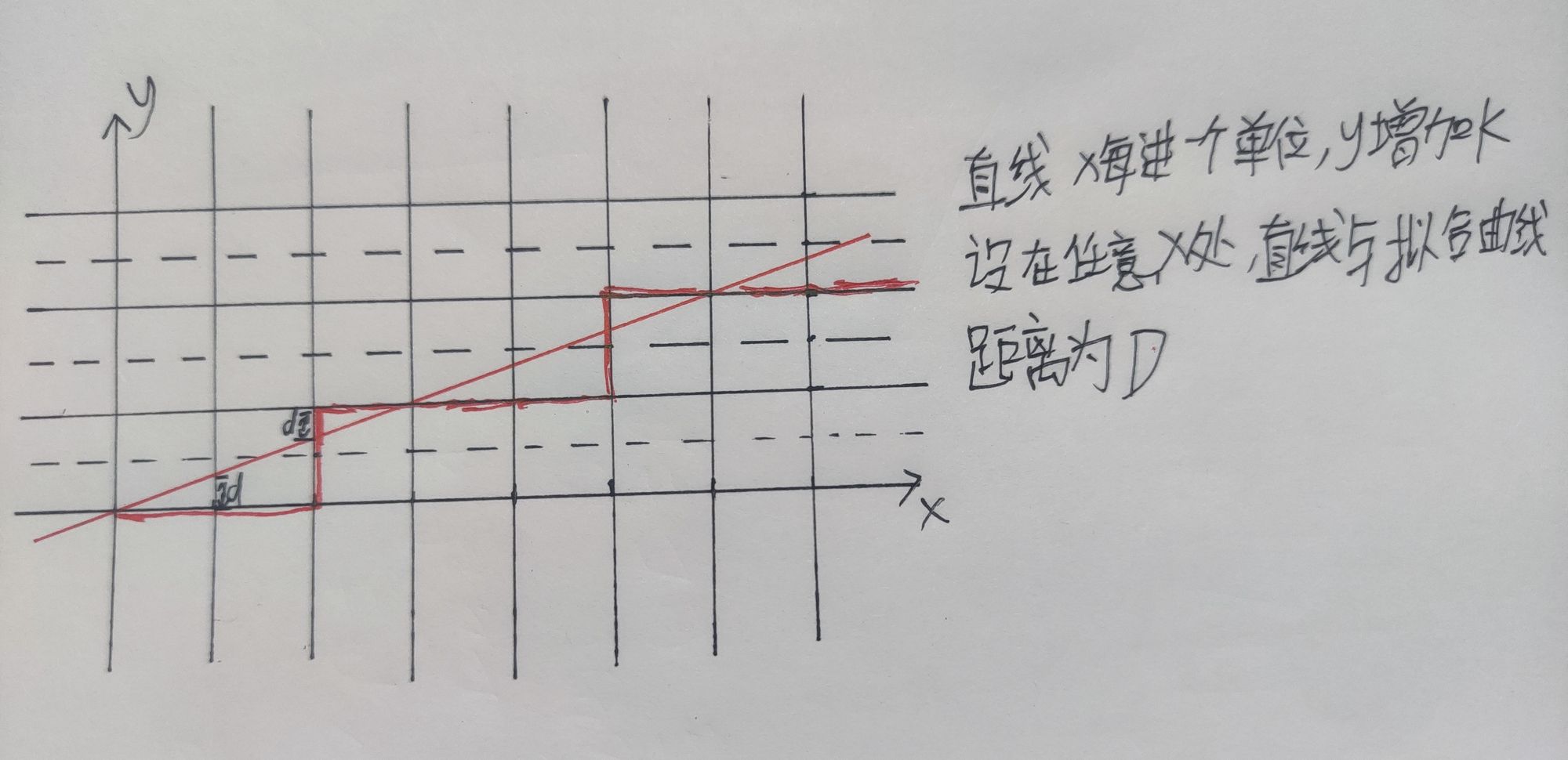
The core of Bresenham’s algorithm is to observe the distance from the real line to the fitted discrete line at the same x coordinate. This is the distance D in the diagram. When D exceeds the midpoint, 0.5, the fitted curve increments its y value by one, moving one pixel upward. This keeps D <= 0.5.
Pseudo-code:
D = 0
for each x in (x0, x1)
  DrawPoint(x, y)
  D += k
  if (D > 0.5)
    y++
    D -= 1
This version can already draw any line, but it requires floating-point operations, such as computing k and D. For better performance, we optimize it.
First, instead of comparing D with 0.5, multiply D by 2. This does not affect the result:
D1 = 0
for each x in (x0, x1)
  DrawPoint(x, y)
  D1 += 2 * k
  if (D1 > 1)
    y++
    D1 -= 2
Because k = dy / dx, where dy = y1 - y0 and dx = x1 - x0, and both dy and dx are integers, we multiply D by dx to remove floating-point addition:
D2 = 0
for each x in (x0, x1)
  DrawPoint(x, y)
  D2 += 2 * dy
  if (D2 > dx)
    y++
    D2 -= 2 * dx
Now we have a line drawing algorithm made entirely of integer operations. It can draw lines on the computer I previously built without a floating-point unit: Building a Computer with Nexys4 DDR series.
Full C++ code:
void DrawLine_Bresenham(int x0, int y0, int x1, int y1, const Color& color)
{
	if (x1 < x0) {
		int tempX, tempY;
		tempX = x0;
		x0 = x1;
		x1 = tempX;
		tempY = y0;
		y0 = y1;
		y1 = tempY;
	}
	if (x1 == x0) {
		for (int y = min(y0, y1); y <= max(y0, y1); y++) {
			DrawPoint(x0, y, color);
		}
		return;
	}

	if (y1==y0) {
		for (int x = x0; x < x1; x++) {
			DrawPoint(x, y0, color);
		}
		return;
	}
	int dx = x1 - x0, dy = y1 - y0;
	bool kSign = ((y1 - y0) >= 0 && (x1 - x0) >= 0) ? true : false;
	bool kGreaterThenOne = (abs(y1 - y0) > abs(x1 - x0)) ? true : false;

	int d = 0;
	if (kSign == true && kGreaterThenOne == false) {
		int y = y0;
		for (int x = x0; x < x1; x++) {
			DrawPoint(x, y, color);
			d += 2 * dy;
			if (d > dx) {
				d -= 2 * dx;
				y++;
			}
		}
	}
	else if (kSign == true && kGreaterThenOne == true) {
		int x = x0;
		for (int y = y0; y < y1; y++) {
			DrawPoint(x, y, color);
			d += 2 * dx;
			if (d > dy) {
				d -= 2 * dy;
				x++;
			}
		}
	}
	else if(kSign==false&&kGreaterThenOne==false){
		int y = y0;
		for (int x = x0; x < x1; x++) {
			DrawPoint(x, y, color);
			d += -2 * dy;
			if (d > dx) {
				d -= 2 * dx;
				y--;
			}
		}
	}
	else if (kSign == false && kGreaterThenOne == true) {
		int x = x0;
		for (int y = y0; y > y1; y--) {
			DrawPoint(x, y, color);
			d += 2 * dx;
			if (d > -dy) {
				d -= -2 * dy;
				x++;
			}
		}
	}
}
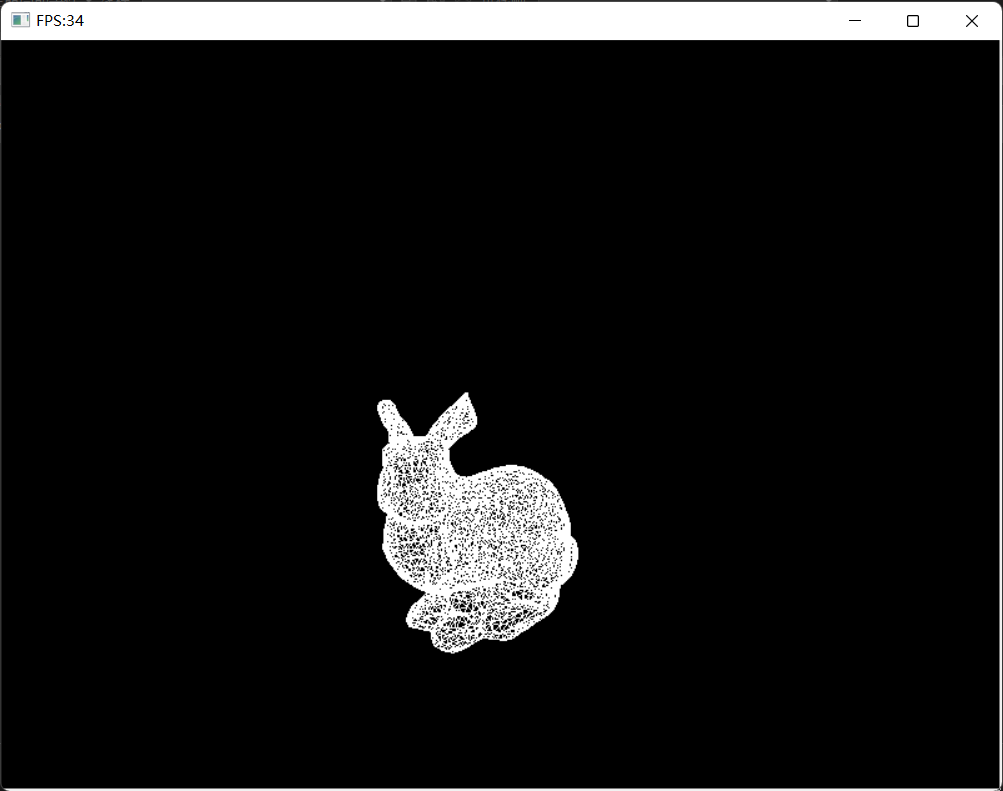
Here is the Stanford bunny drawn with Bresenham lines:
[2] Triangle Rasterization Algorithm
This section introduces triangle rasterization. Most software rasterizers are based on drawing triangular faces.
Here I introduce the classic splitting method. As shown below, all triangles can be classified into three types:
- The two lower vertices have the same y value.
- The two upper vertices have the same y value.
- Any other triangle, which can be split into one triangle of type 1 and one triangle of type 2.
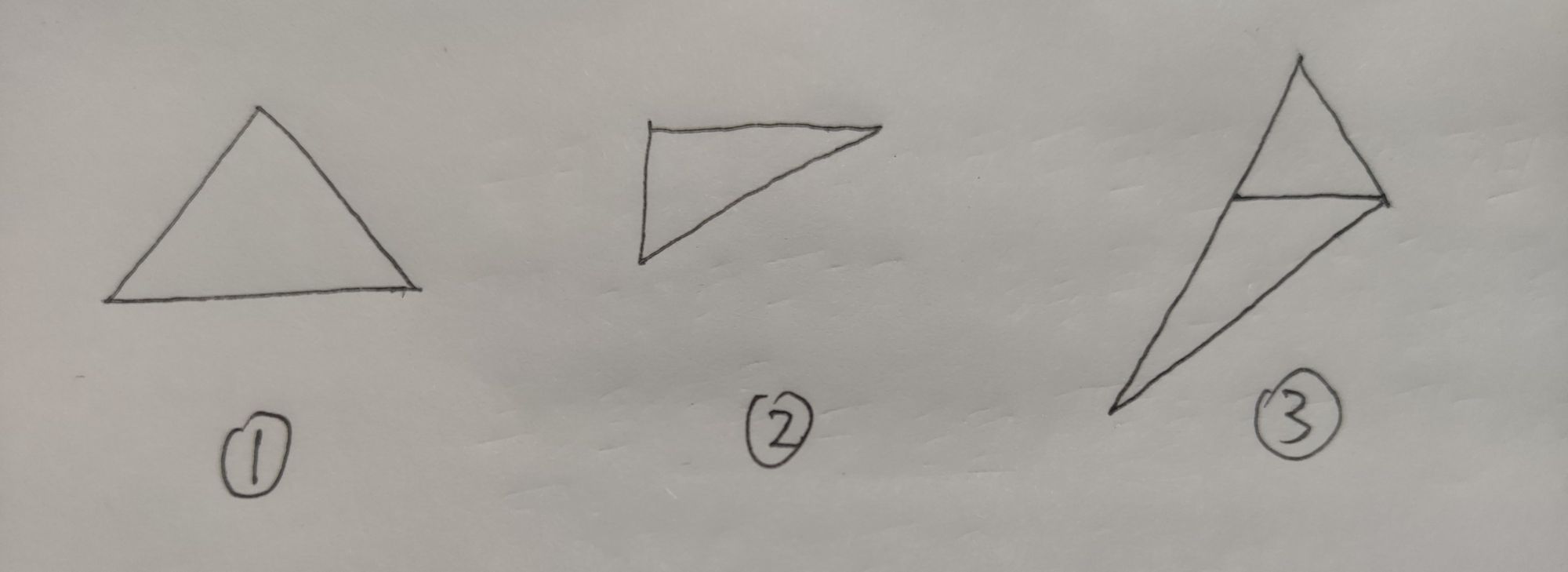
So, as long as we know how to draw type 1 and type 2 triangles, we can draw any triangle by combining them.
The following explains how to draw the first type:
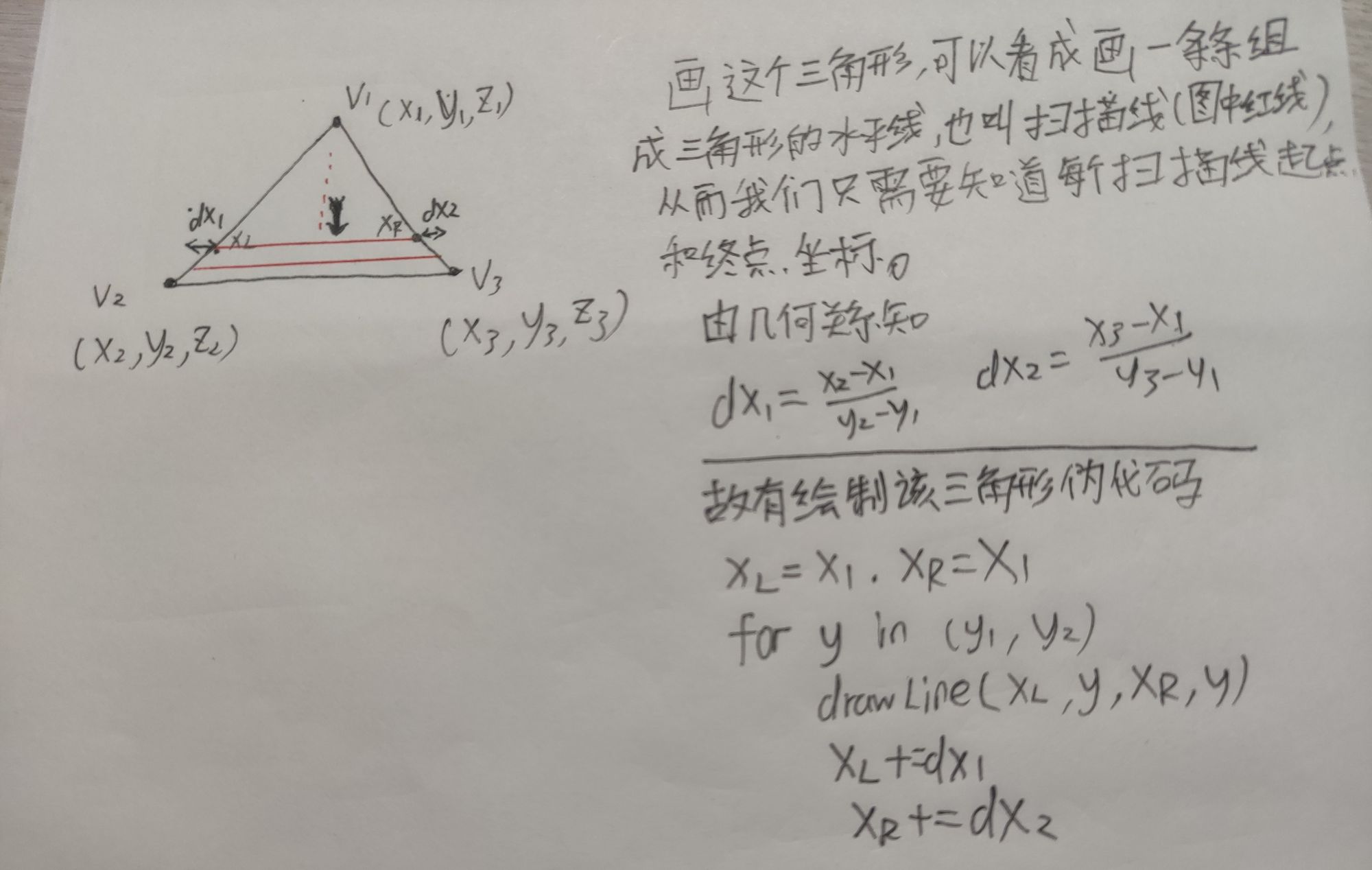
Type 2 is basically the same, so I skip it and directly introduce drawing arbitrary triangles.
To draw an arbitrary triangle using the method for type 1 and type 2 triangles, we still need one extra point to split it into two triangles. So we need to determine the position of the fourth point v4.
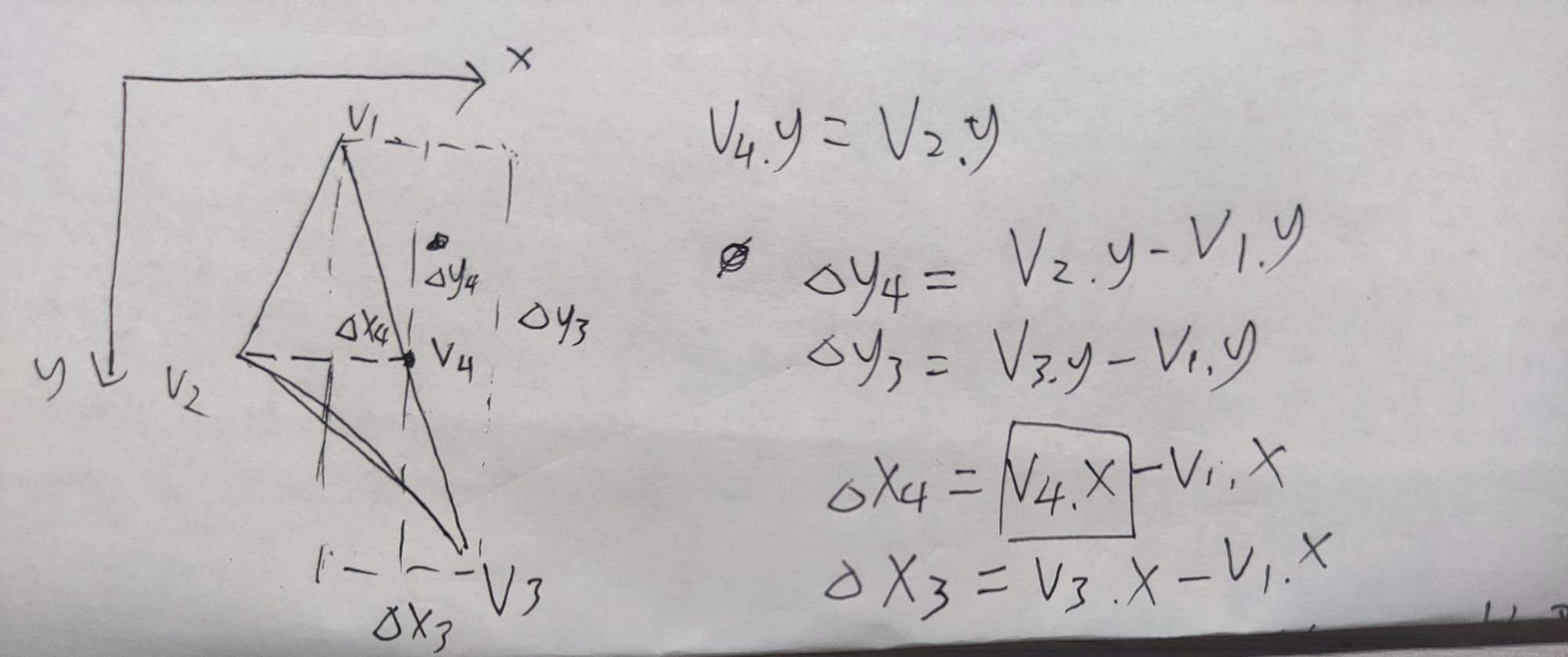
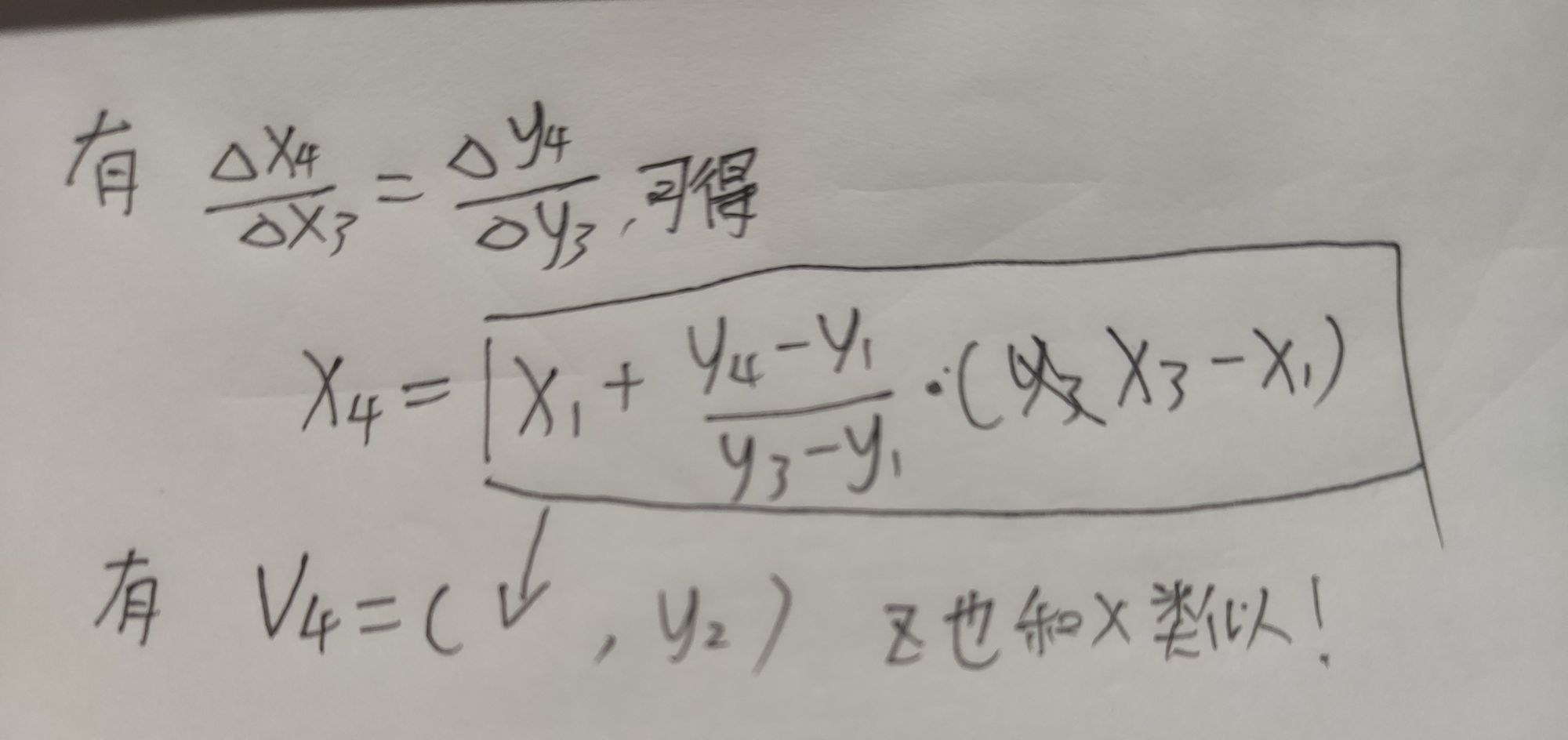
The proof here is just middle-school geometry. It is simple, but it is best to draw it yourself once.
After obtaining the coordinates of the fourth point, we can use the previous functions for type 1 and type 2 triangles to draw the whole triangle.
The original article includes the full C++ implementation of DrawTopFlatTriangle, DrawBottomFlatTriangle, and DrawTriangle.
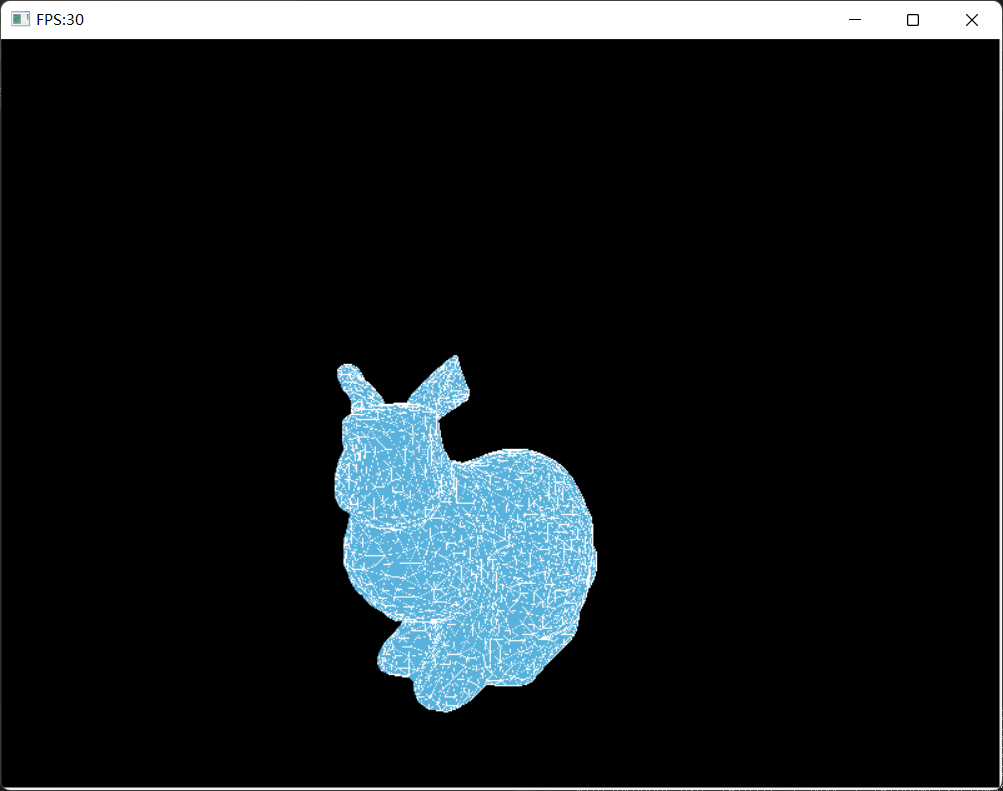
Here is the bunny drawn using this triangle rasterization algorithm:
[3] Barycentric Coordinates
Barycentric coordinates express any point p inside a triangle using the coordinates of the triangle’s vertices:
p = i * A + j * B + k * C
Then any point inside a triangle can be represented as (i, j, k). This is very useful for interpolation inside triangles, such as texture mapping and lighting.
To add texture mapping to mini3DRender, I first needed to understand triangle barycentric coordinates.
This section first introduces barycentric coordinates for triangles, then uses them to perform interpolation inside triangles.
First, consider barycentric coordinates on a line:
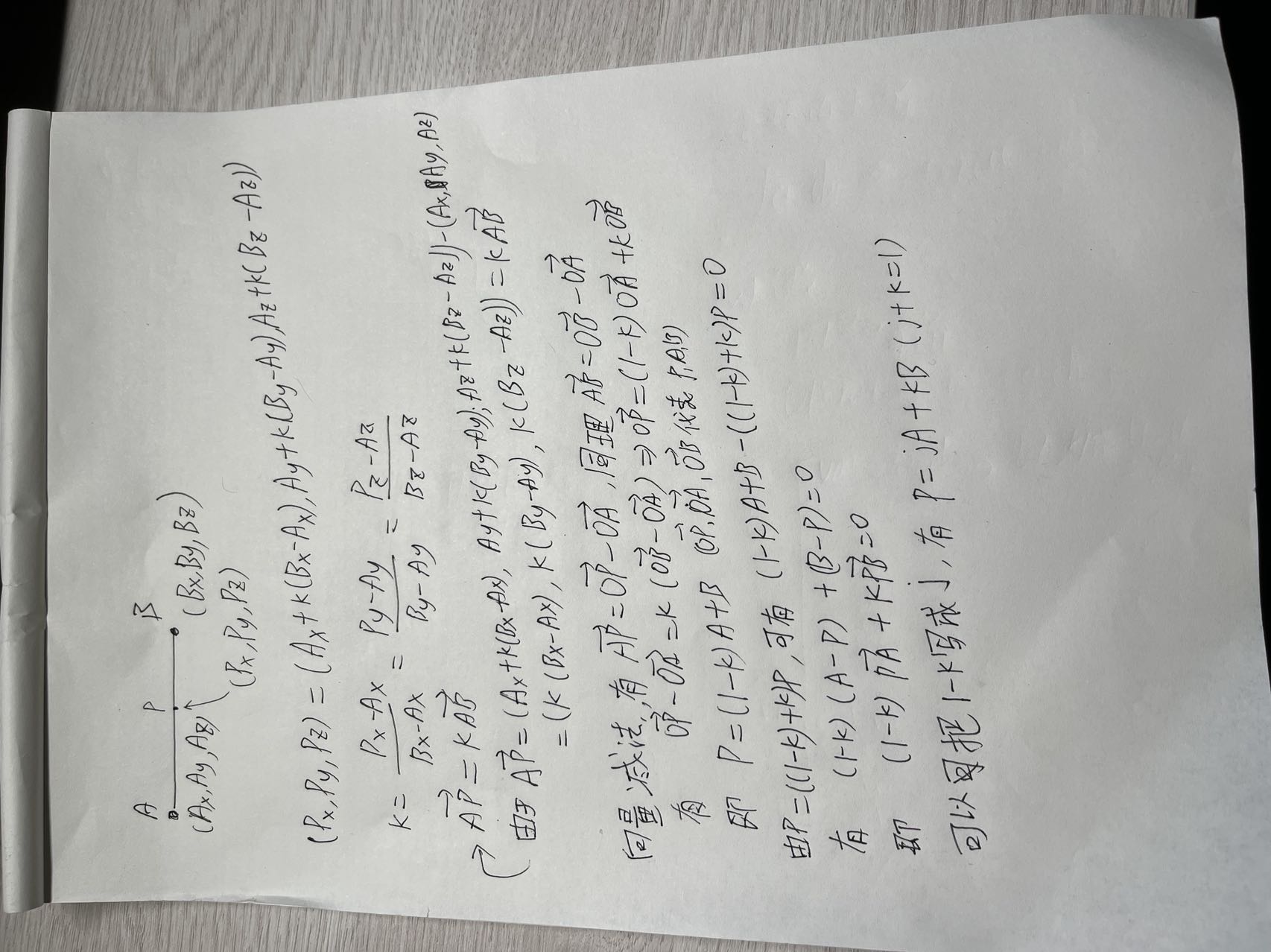
The barycentric coordinates of a line express any point on the line using the two endpoints:
p = j * A + k * B, where j + k = 1
Using this conclusion, we can derive the barycentric coordinate representation of any point inside a triangle.
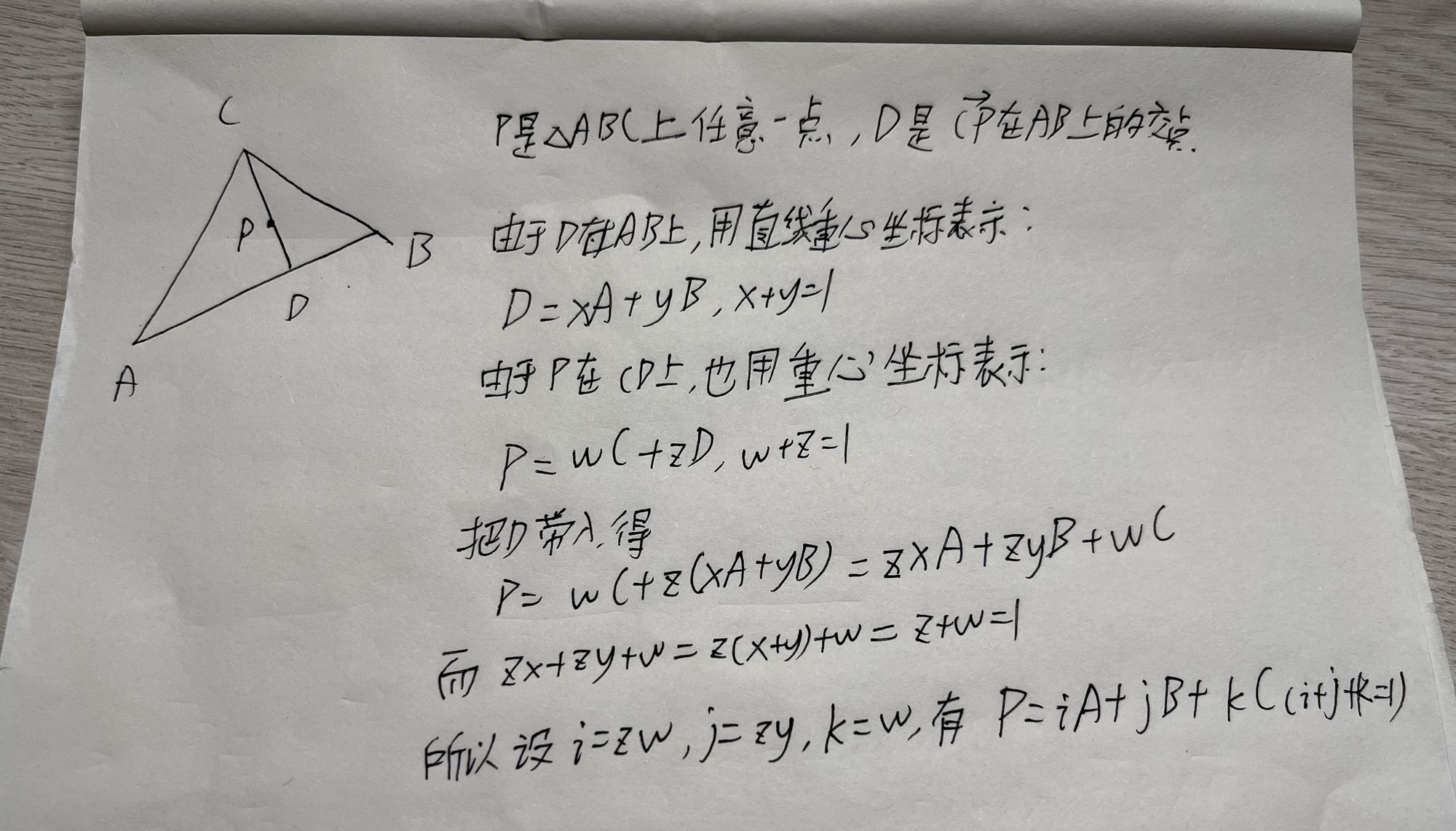
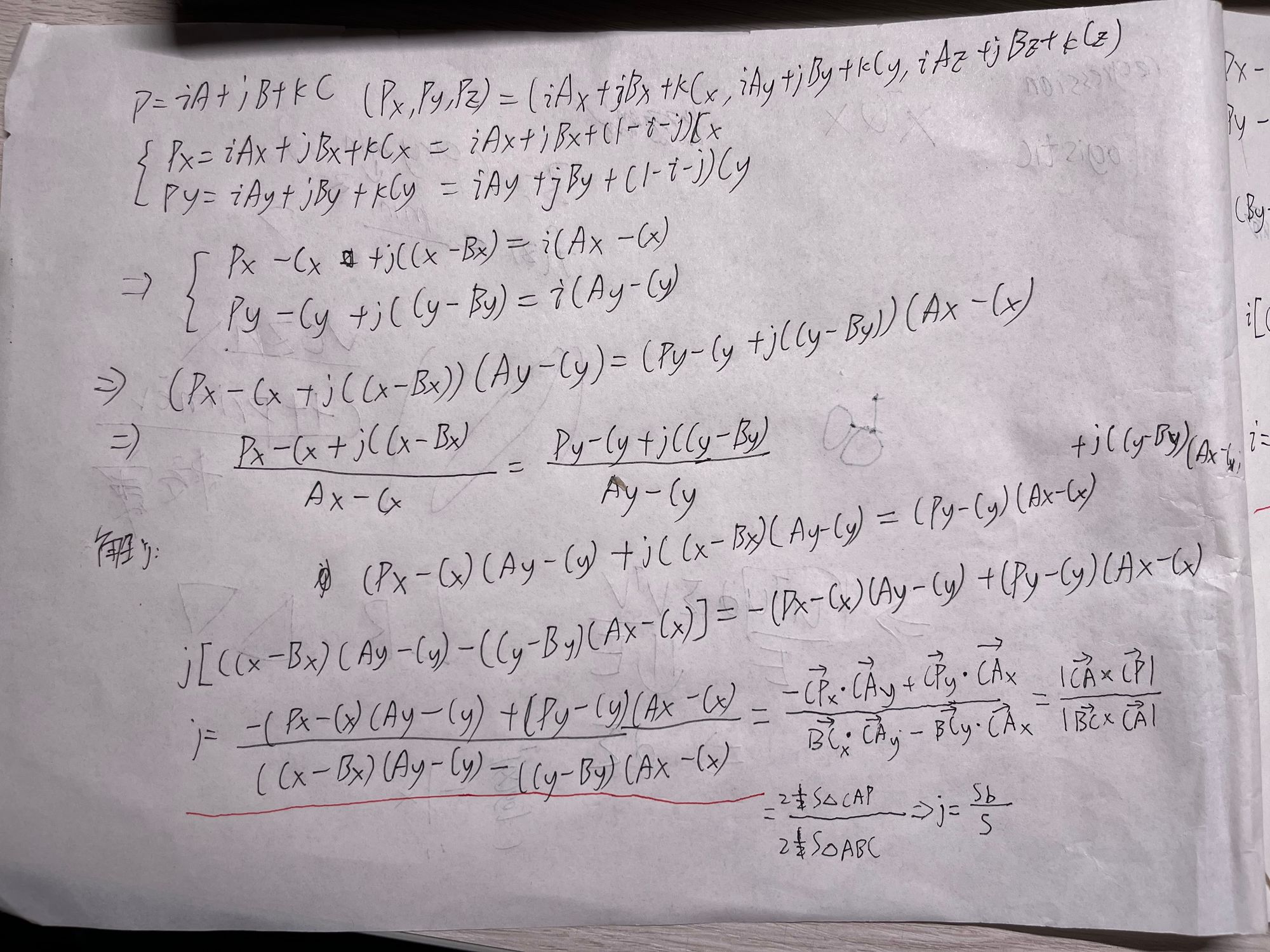
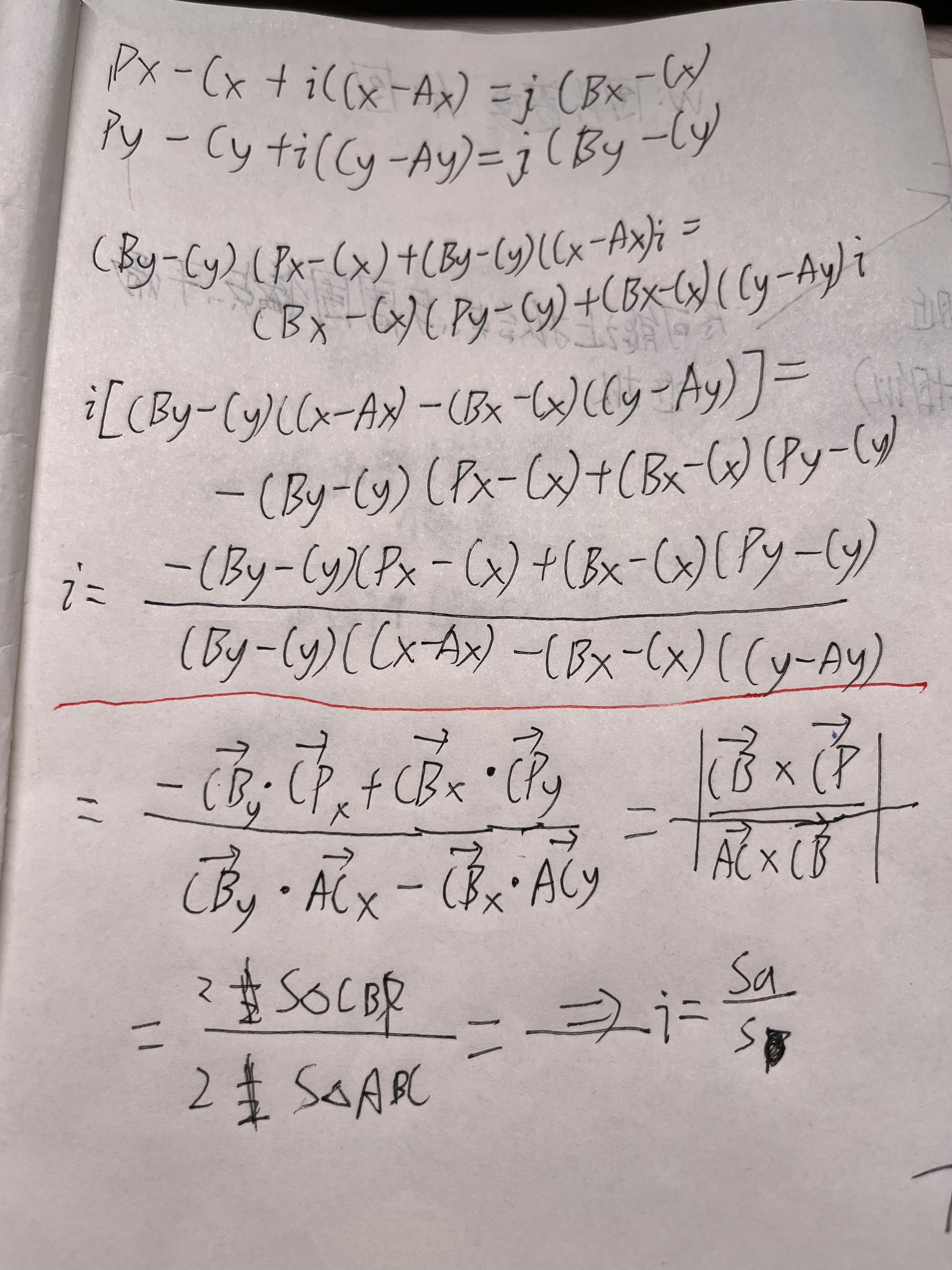
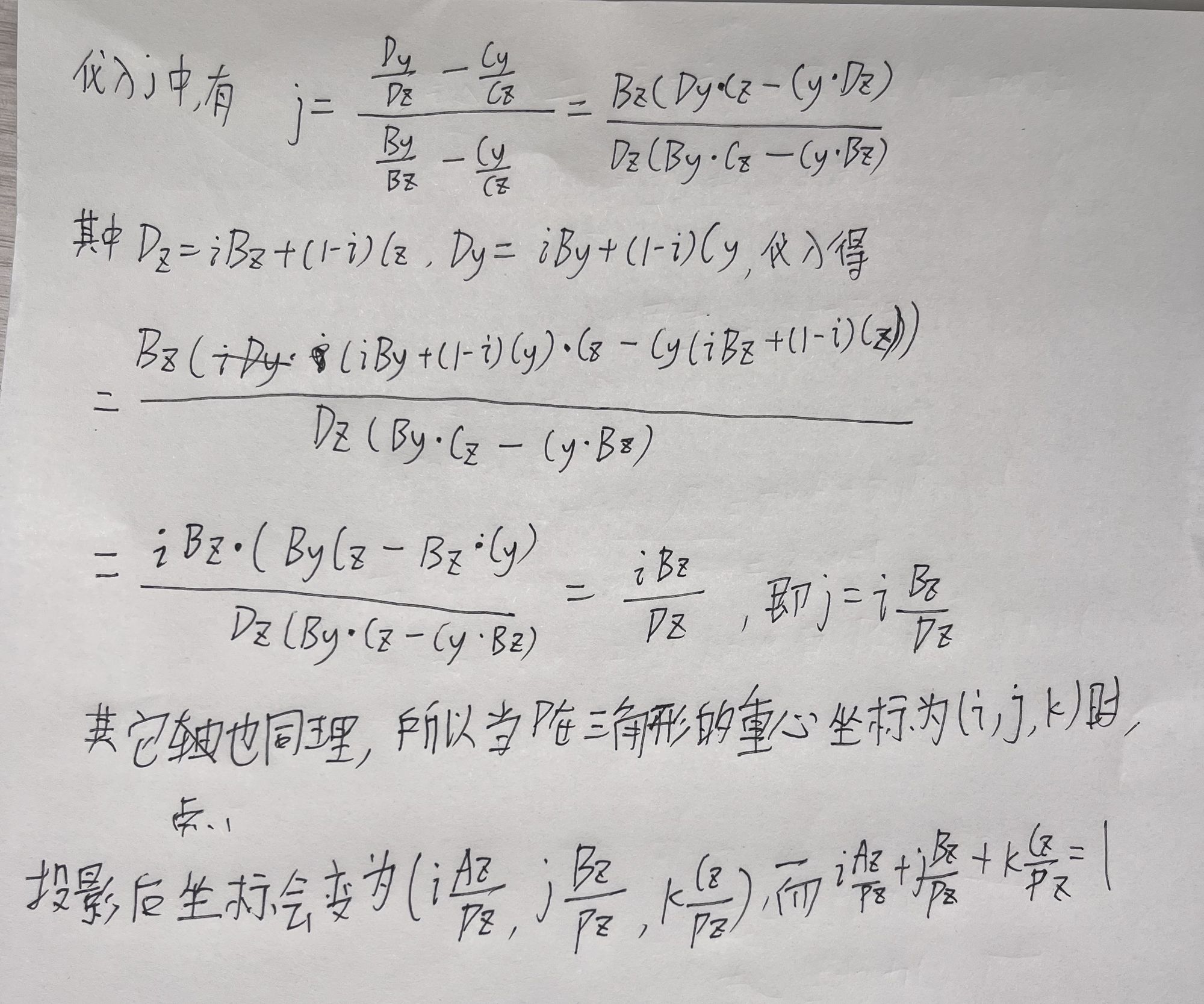
From the scratch-paper derivation above, we can obtain i and j in the barycentric coordinates of any point, and then k = 1 - i - j.
This gives the barycentric coordinates of any point inside a 2D triangle.
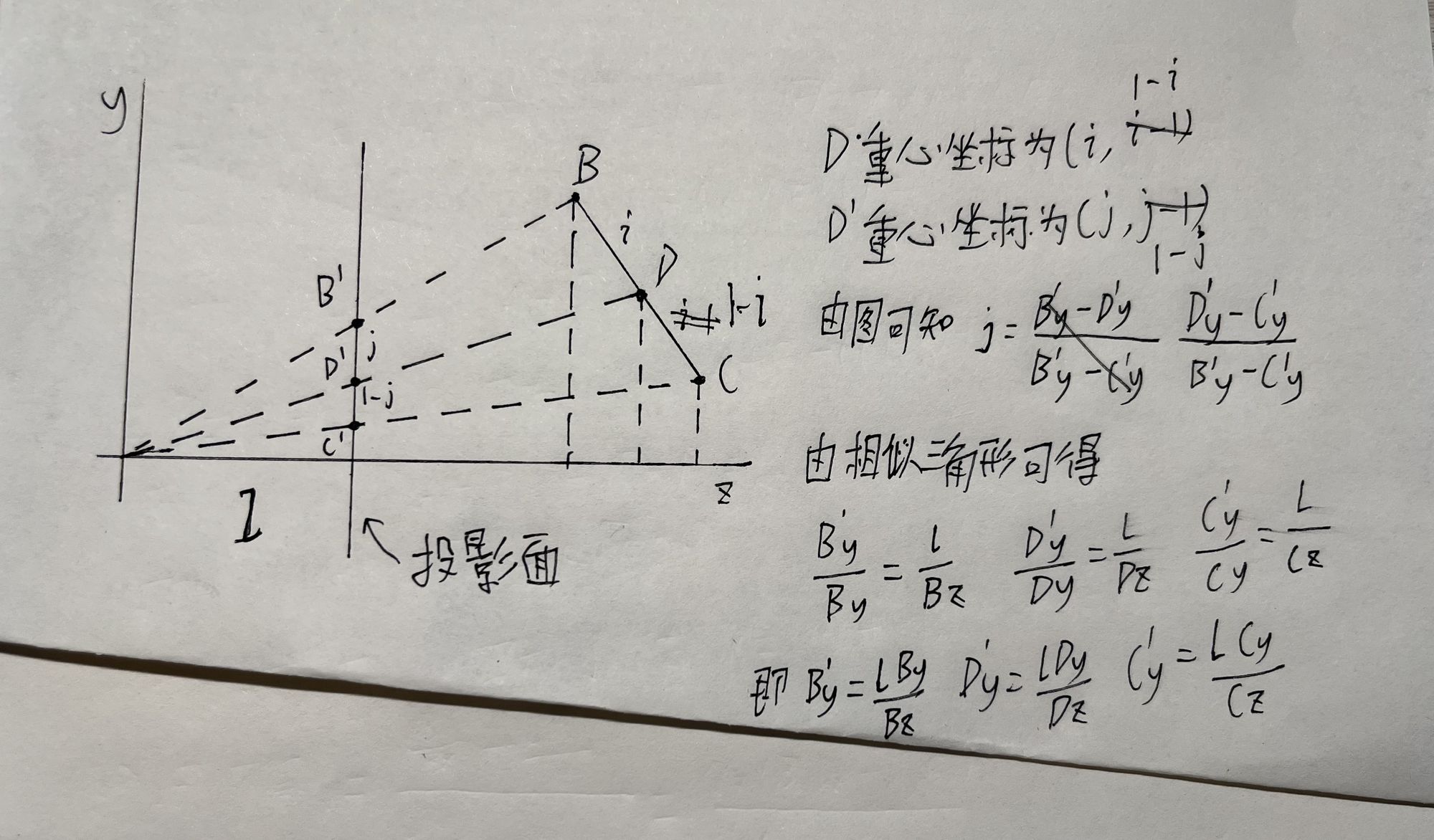
However, mini3DRender eventually performs perspective projection, so the coordinates change. The result computed here must be corrected accordingly.
References
GAMES101 modern computer graphics notes: Lecture 09 Shading 3, texture mapping
Graphics basics: Barycentric Coordinates
Deep exploration of perspective texture mapping, part 1
Deep exploration of perspective texture mapping, part 2
[4] Perspective Correction for Texture Mapping
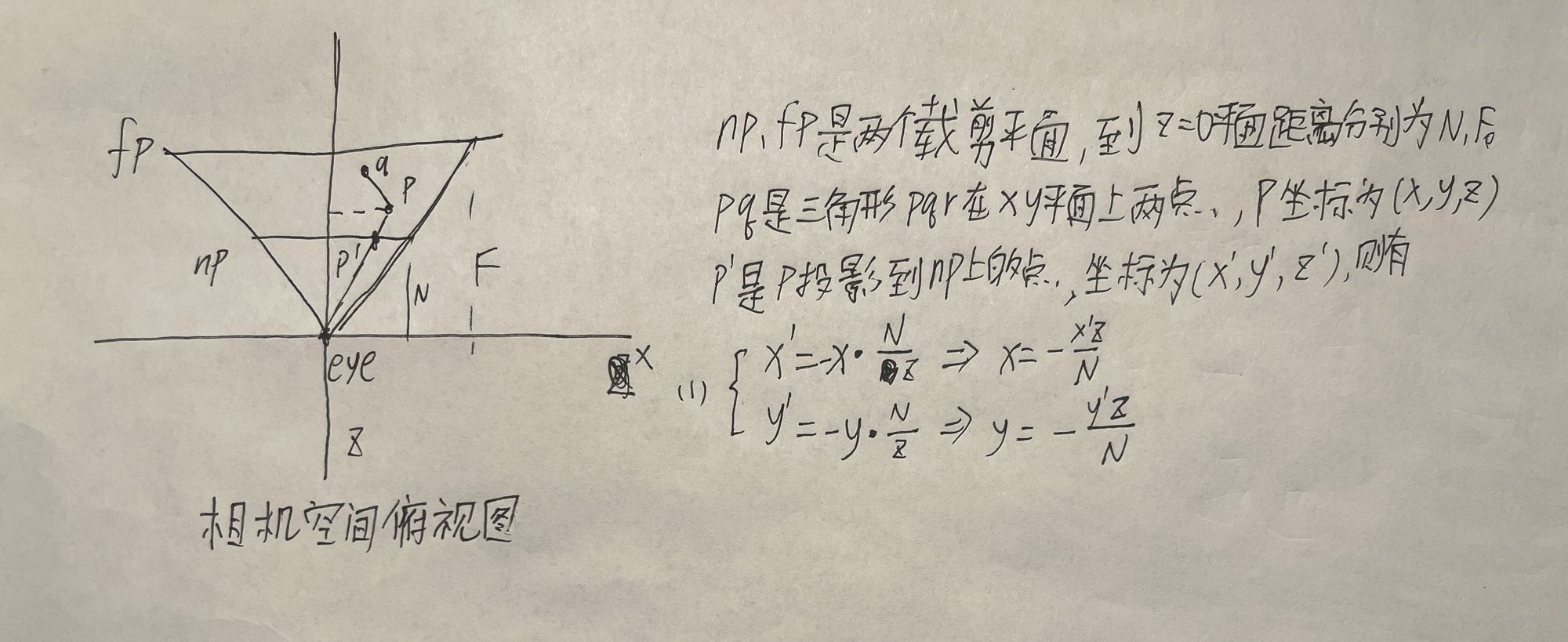
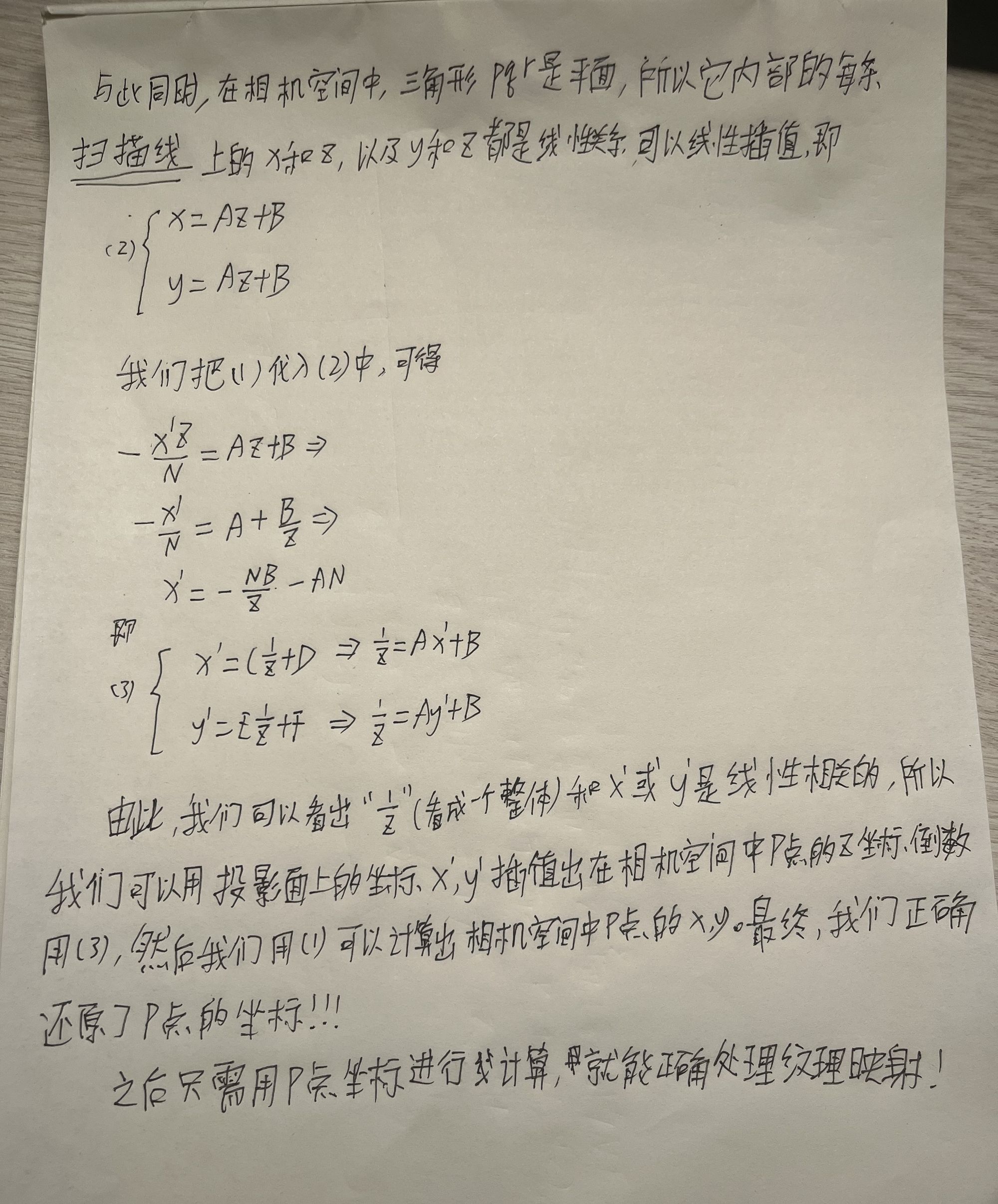
When drawing triangles, texture mapping requires u and v coordinates, and those coordinates need interpolation. But the transformation from camera space to clip space does not preserve linearity; the whole space is distorted by perspective projection.
Therefore, u and v cannot be interpolated using coordinates in clip space or later screen space. The clip-space-to-screen-space transform is linear, but the perspective projection before it is not. Instead, u and v interpolation needs to be computed using camera-space coordinates.
The goal here is to restore camera-space coordinates from clip-space coordinates.
This section is basically notes on Deep exploration of perspective texture mapping, part 1 and part 2.
[5] Lighting
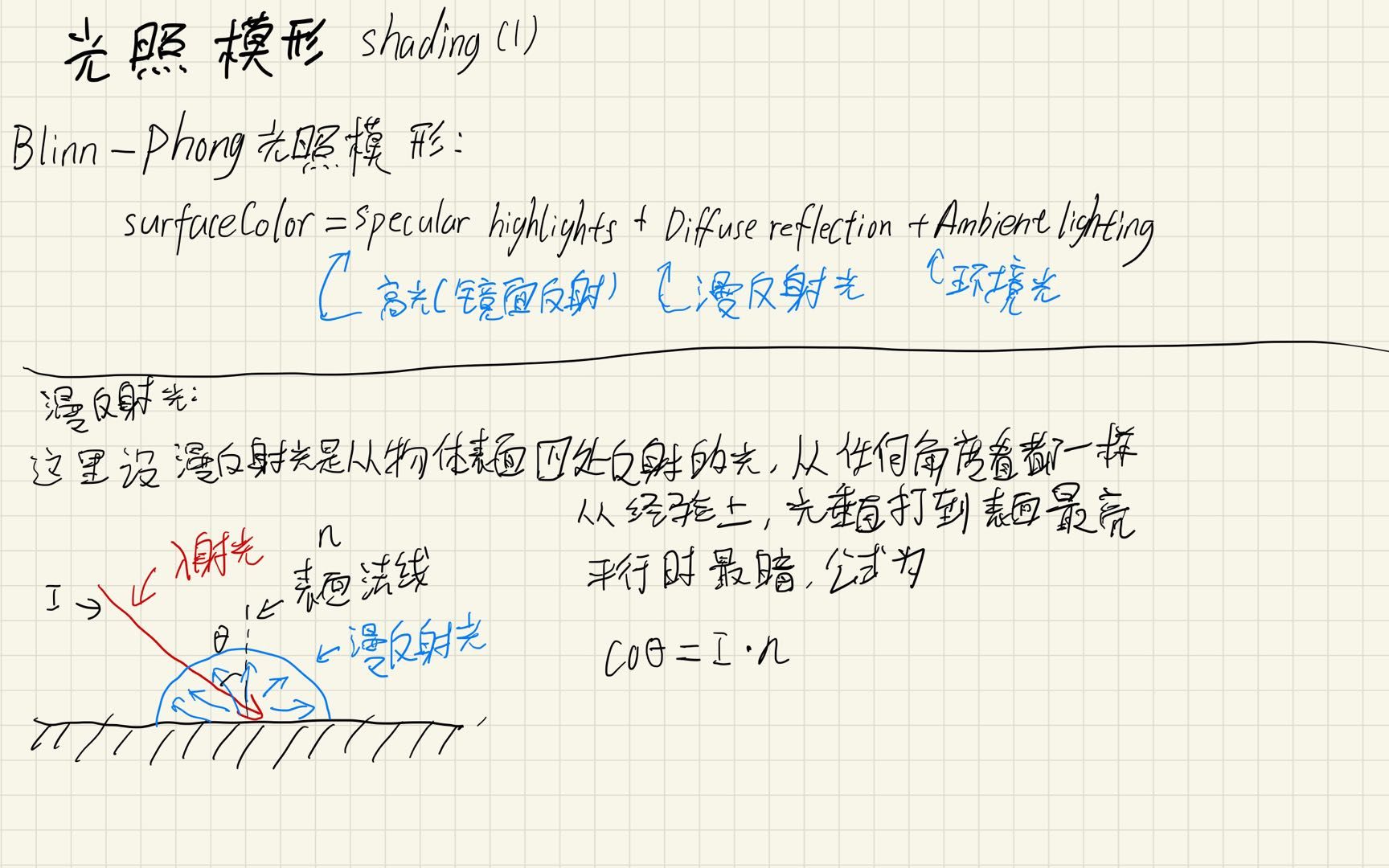
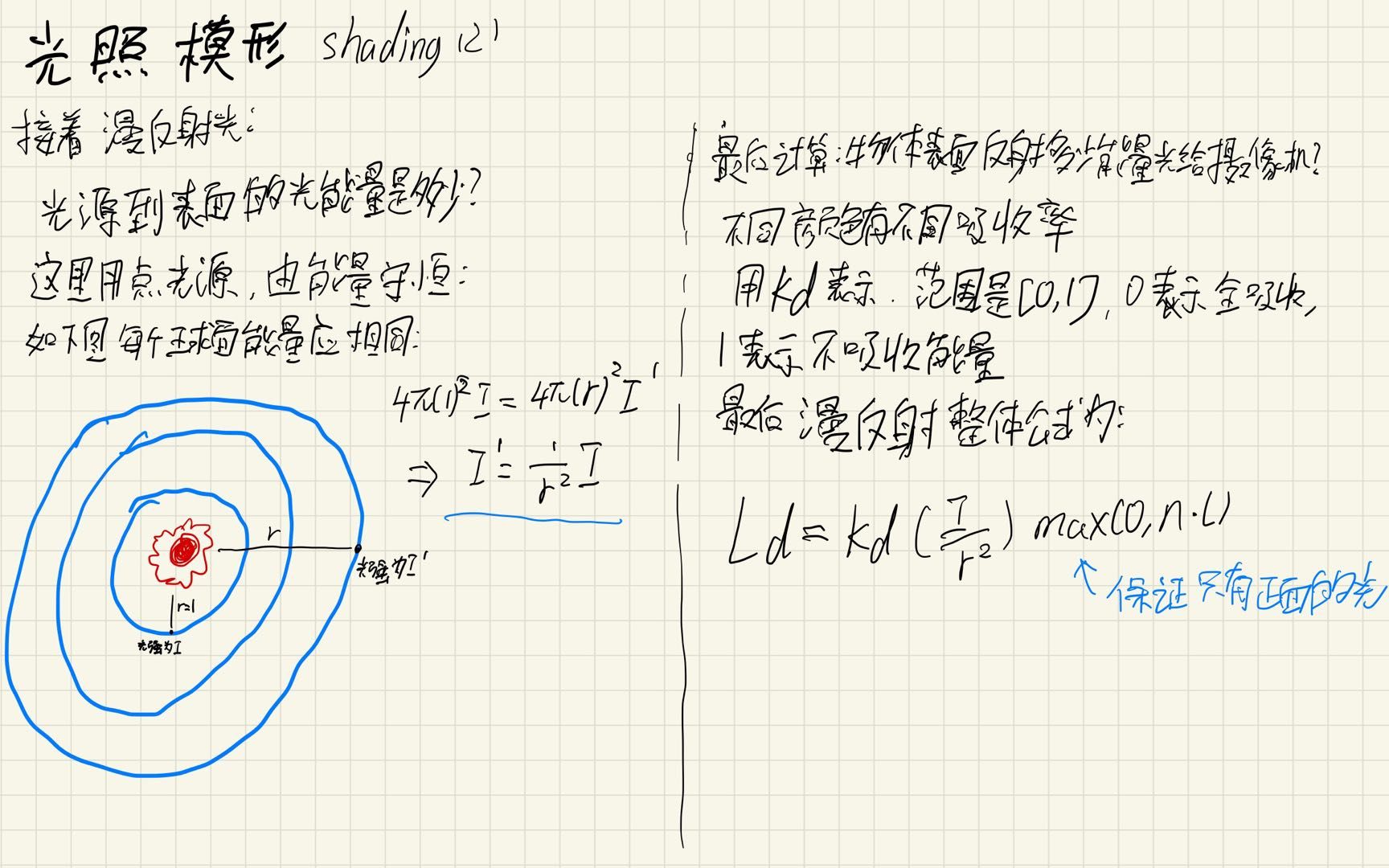
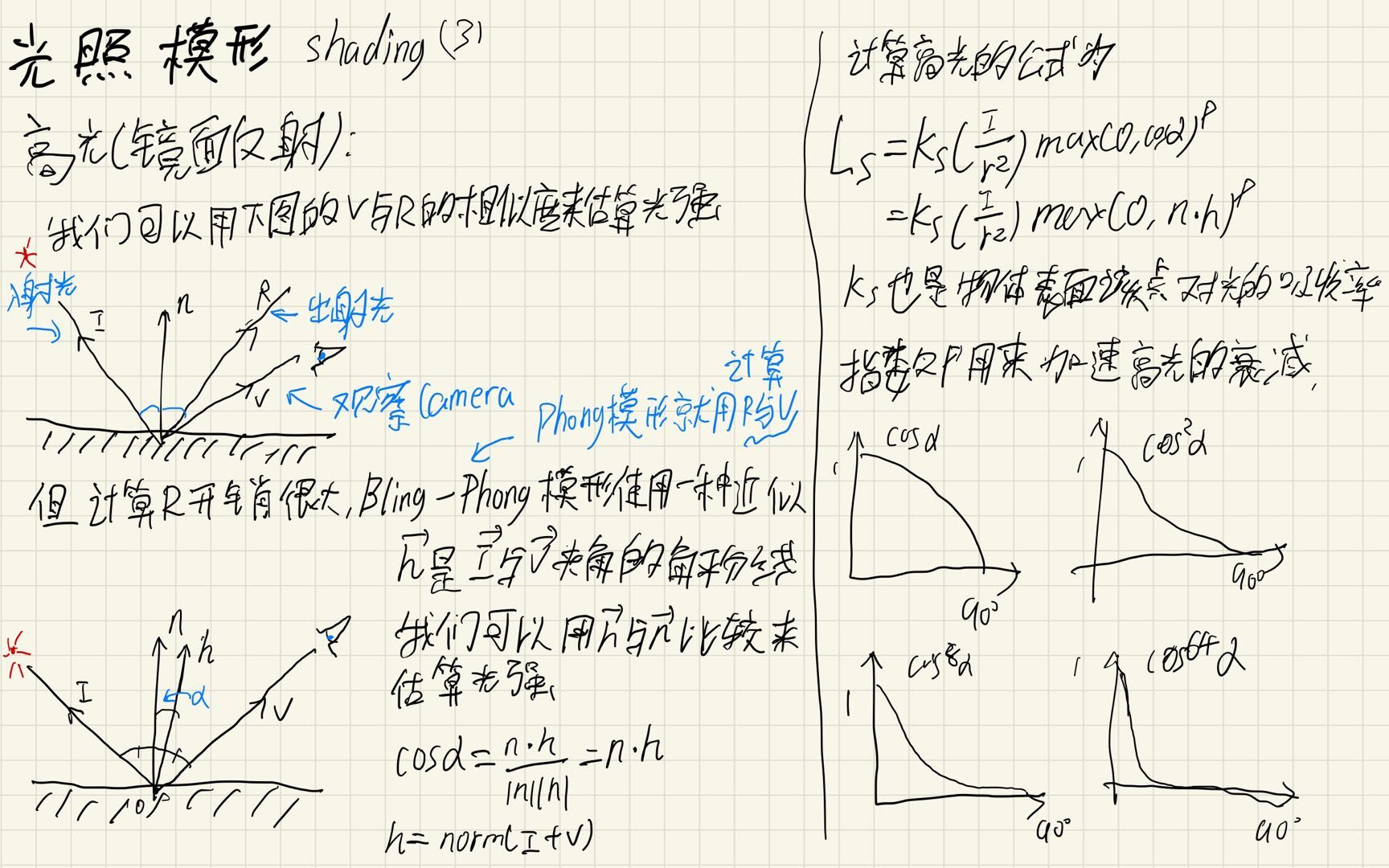
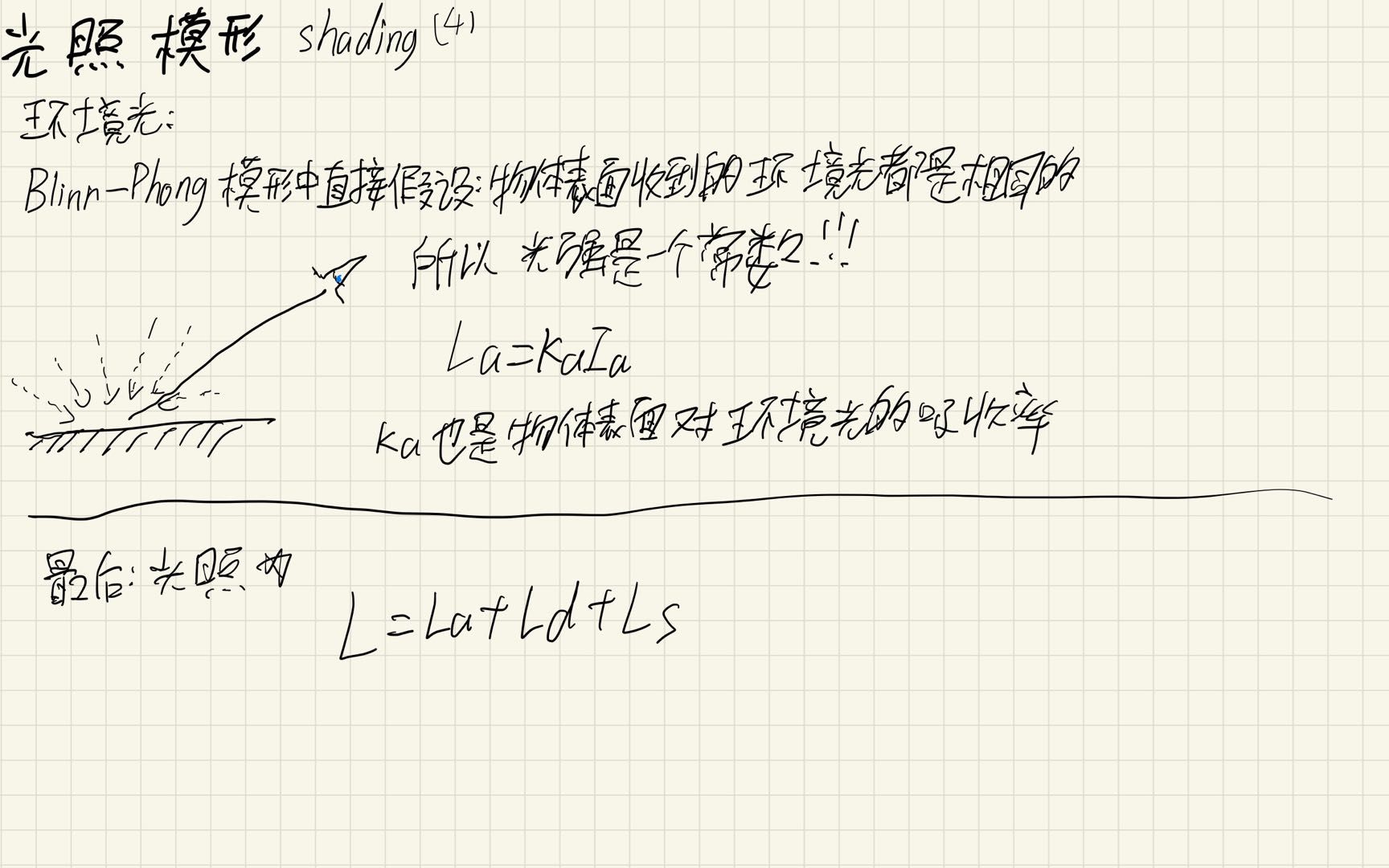
In a rasterization renderer, lighting is an approximation method used to reproduce lighting effects similar to objects in the real world.
Here I introduce the Blinn-Phong and Phong lighting models. The basic process is shown below:
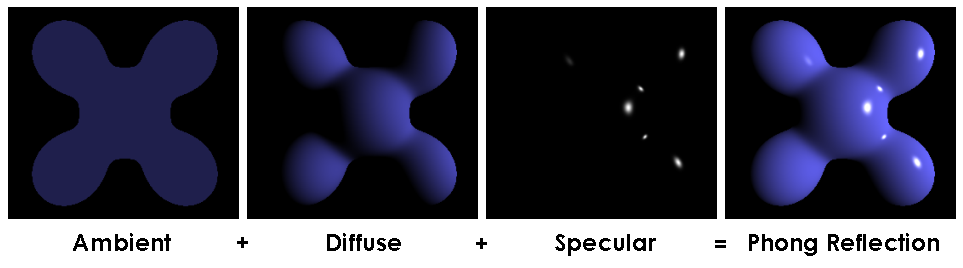
These two models divide total lighting into:
Ambient + Diffuse + Specular
Principle
Implementation
I will add lighting to mini3DRender.
- Create
light.handlight.cppto define point lights. - In the triangle drawing function, compute the normal vector of the current triangle and pass it into the final scanline drawing function.
- Compute lighting for each point according to the formulas above.
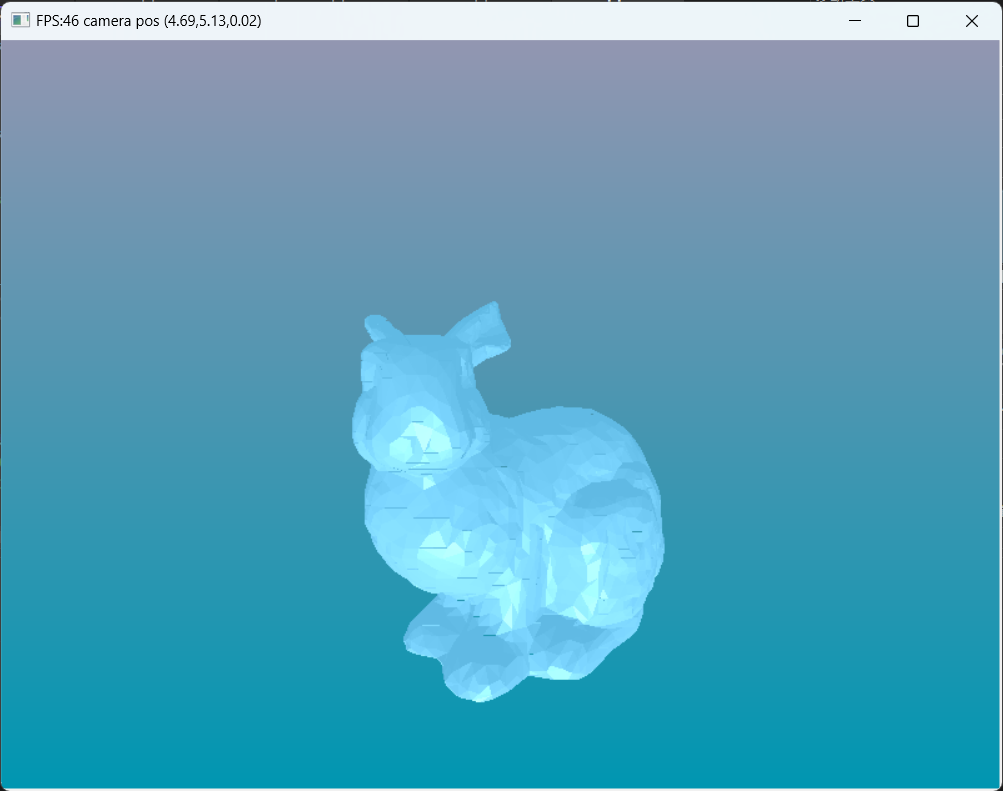
Result
Still the Stanford bunny, but now with lighting:
References
Some references for beginner rasterization renderers
Introduction to shading: Blinn-Phong and Phong lighting models